Missed calls are missed jobs
You can't answer the phone with your hands in a boiler. A booking link in your voicemail, texts and socials catches the work you'd otherwise lose.
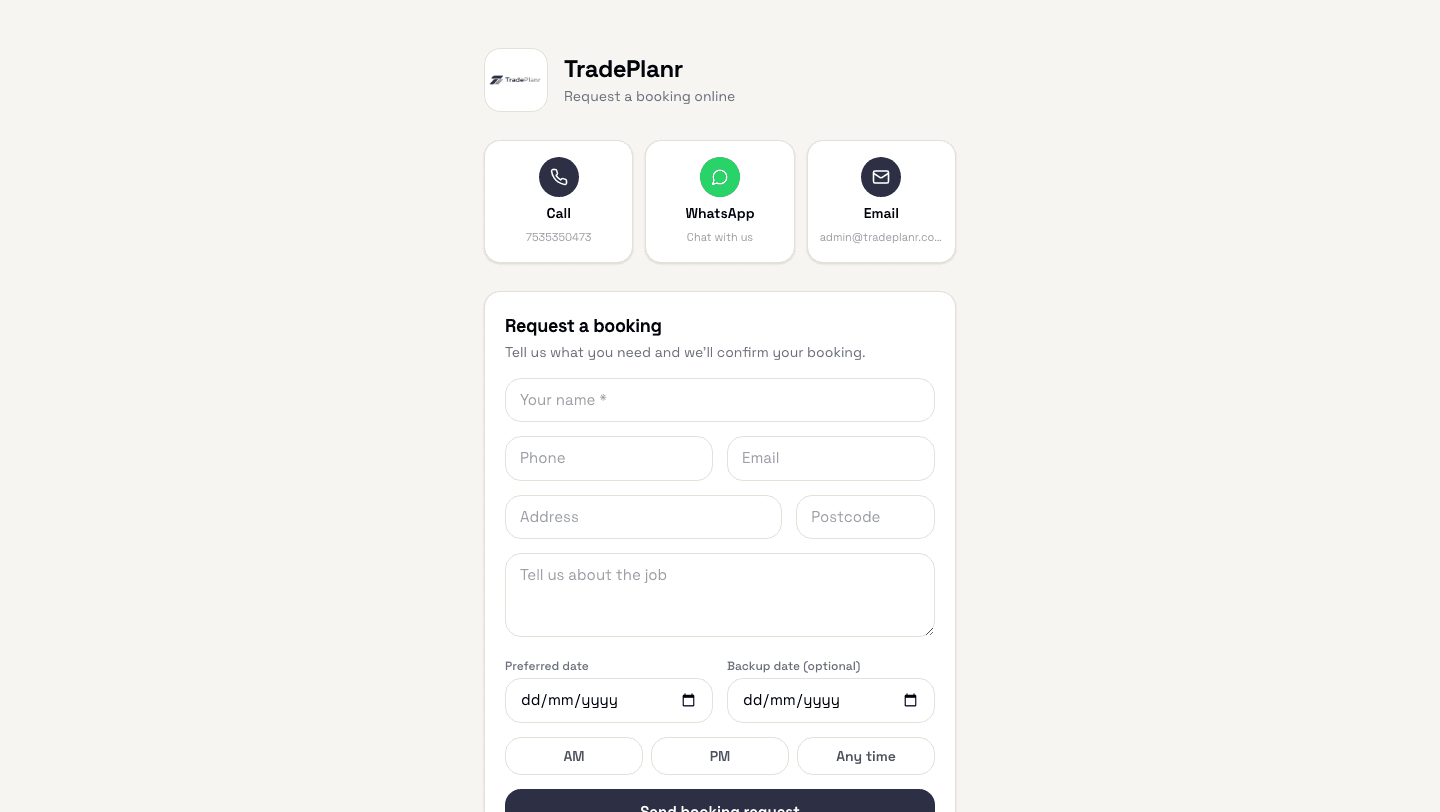
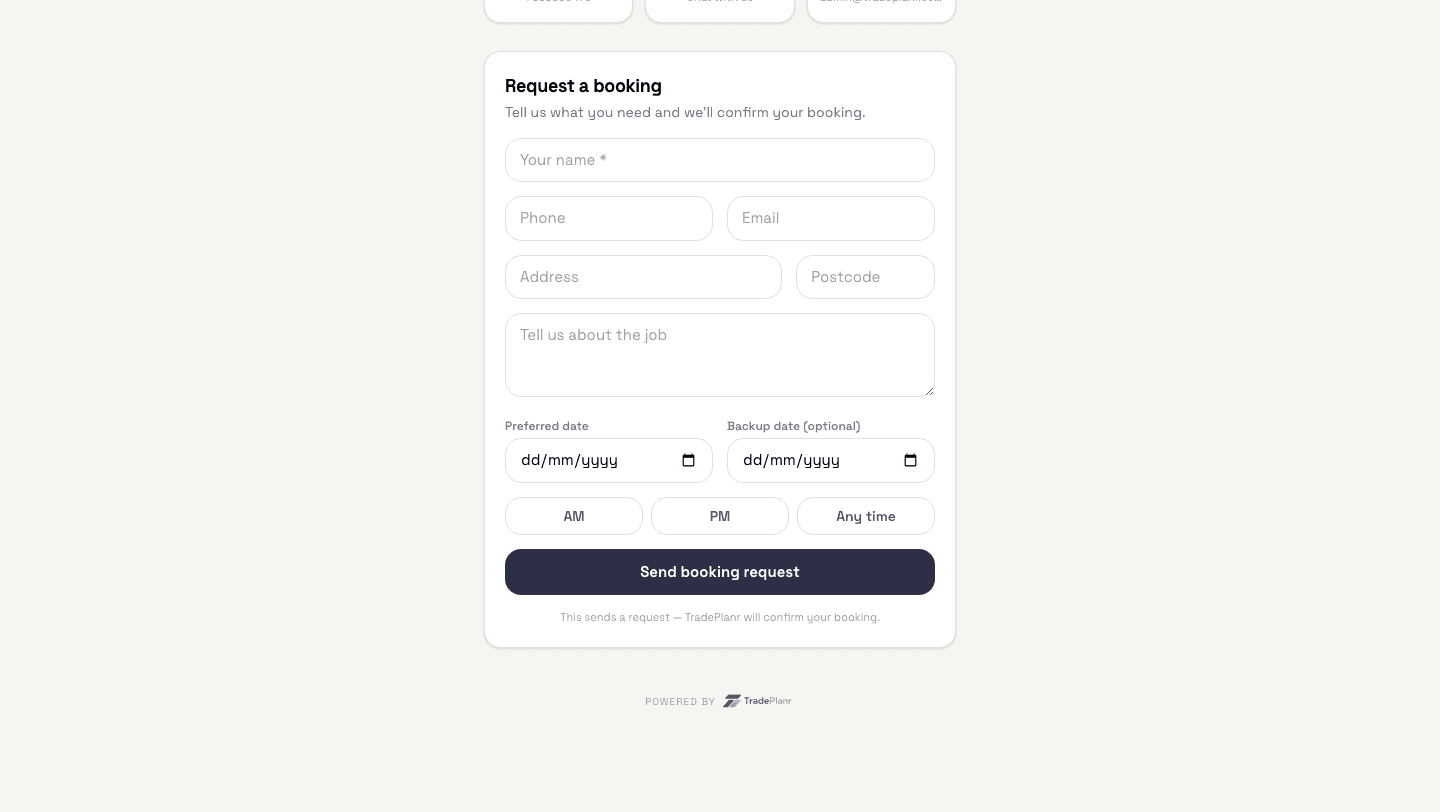
Share one link and customers can request a booking day or night — with the job details, address and preferred date already filled in. You accept when it suits your diary.
Free to start · No card · No download needed — works in your browser


On iPhone, Android and any browser
You can't answer the phone with your hands in a boiler. A booking link in your voicemail, texts and socials catches the work you'd otherwise lose.
A proper web page costs money and never gets updated. Your TradePlanr booking page is branded with your logo, live in minutes, and free.
Customers send their preferred date and a backup with the request, so most bookings are settled in one tap instead of five calls.
Put your booking link in your Google profile, Facebook page, van signage QR or text signature. Customers land on a branded page with call, WhatsApp and email buttons too.
Nothing goes in your diary without you. Each request arrives as a push notification — accept it and it becomes a job, or decline with one tap.
Name, phone, email, address and what the job is — captured up front, so you're not scribbling notes on the dashboard.
Automatic SMS reminders for annual work include your booking link, so repeat customers rebook themselves.
Need the full tour? See everything the TradePlanr app does.
Real screens from the TradePlanr app — no stock photos, no mock-ups.
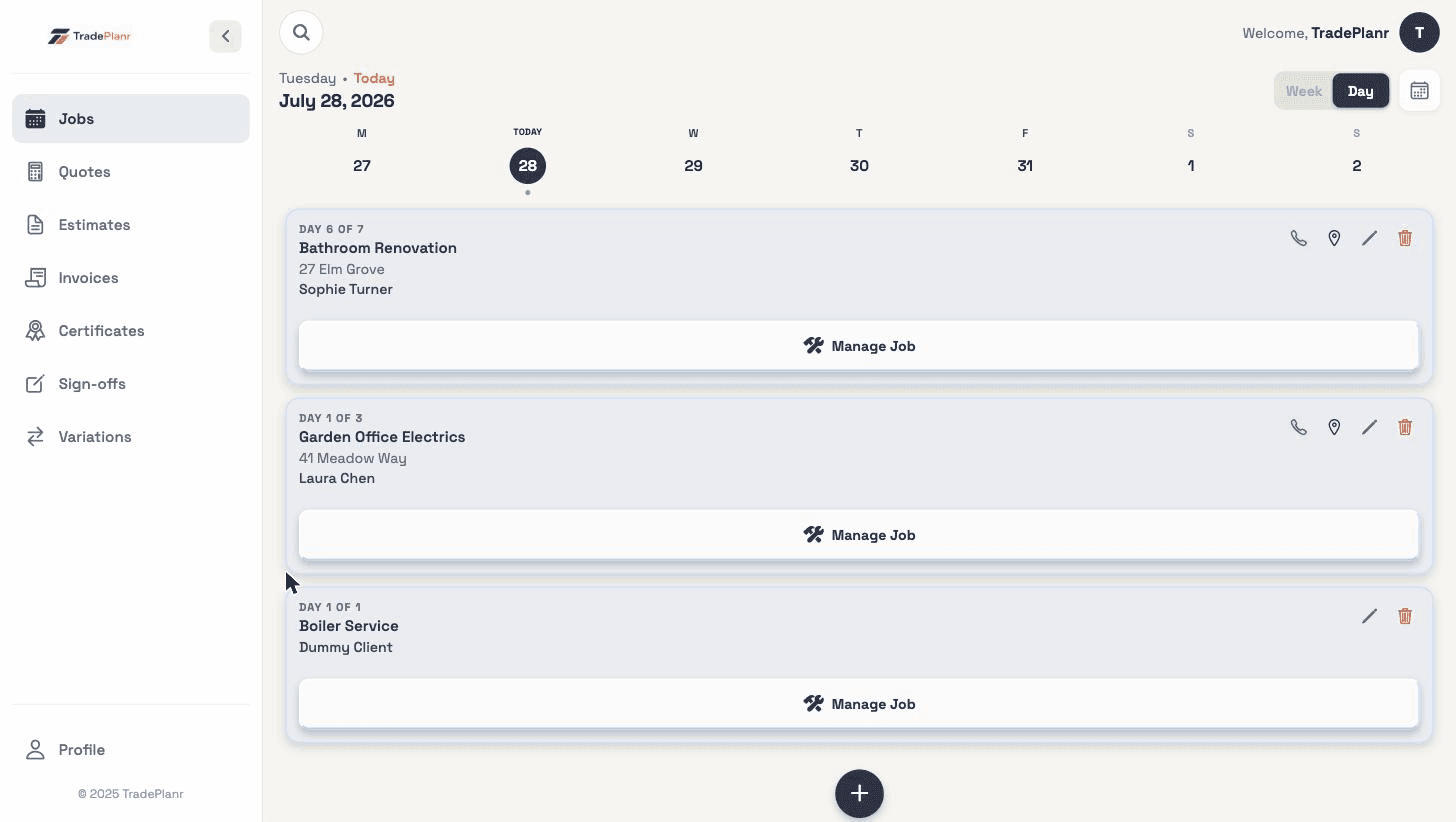
No — they send a booking request with their details and preferred dates. You get a notification and choose to accept or decline, so you stay in control of your diary. Accepted requests become jobs automatically.
No. Your booking page is hosted by TradePlanr at your own link (tradeplanr.com/book/your-business) and branded with your logo and contact details.
Name, phone, email, address, a description of the job, and a preferred date with an optional backup — plus whether morning or afternoon suits. You choose which fields your page asks for.
Anywhere customers find you: Google Business Profile, Facebook, Instagram bio, WhatsApp status, your voicemail message and the automatic SMS reminders TradePlanr sends for annual work.
Start free in your browser and set up your first job in minutes — no download needed.