Enquiries going cold
Customers ring around while your price sits on the to-do list. Send an estimate from the van and be first in their inbox — while the competition is still "getting back to them".
Turn an enquiry into a professional, EST-numbered estimate in minutes — before you've even done the site visit — and know the moment the customer opens it.
Free to start · No card · No download needed — works in your browser


On iPhone, Android and any browser
Customers ring around while your price sits on the to-do list. Send an estimate from the van and be first in their inbox — while the competition is still "getting back to them".
A number over the phone gets remembered wrong. An EST-numbered estimate with an expiry date sets expectations properly from day one.
When the customer says yes, the estimate converts to a quote — or straight to an invoice — with every detail carried over.
Line out the work or send a single bulk total — whatever suits early-stage pricing before a proper site visit.
See the moment the customer opens your estimate, with a view count and timestamps — so you know exactly when to follow up.
Attach photos taken on site and set a validity date, so an old price can't come back to bite you months later.
Turn an accepted estimate into a proper quote after the site visit, or go straight to the invoice — nothing retyped.
Need the full tour? See everything the TradePlanr app does.
Real screens from the TradePlanr app — no stock photos, no mock-ups.
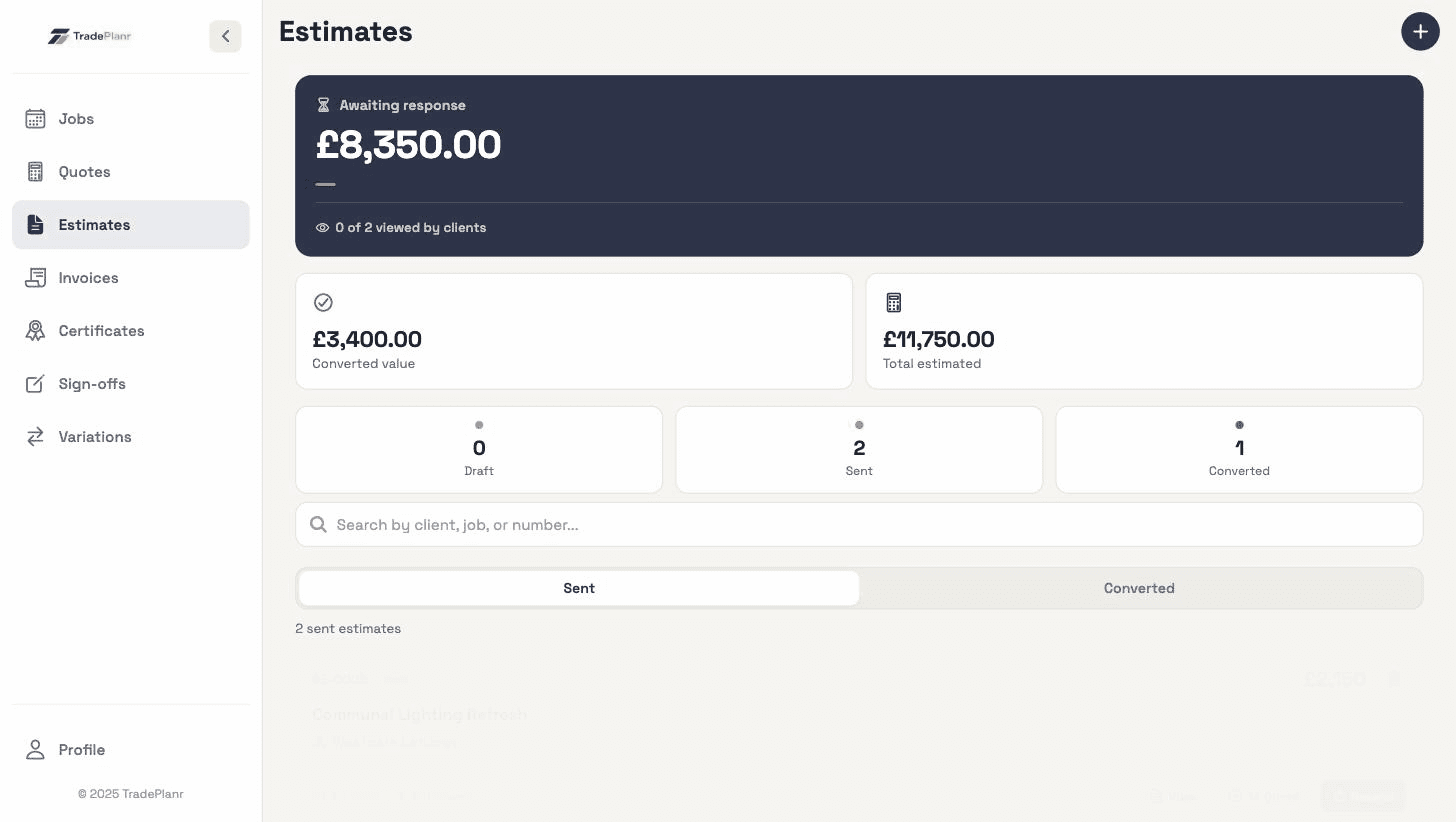
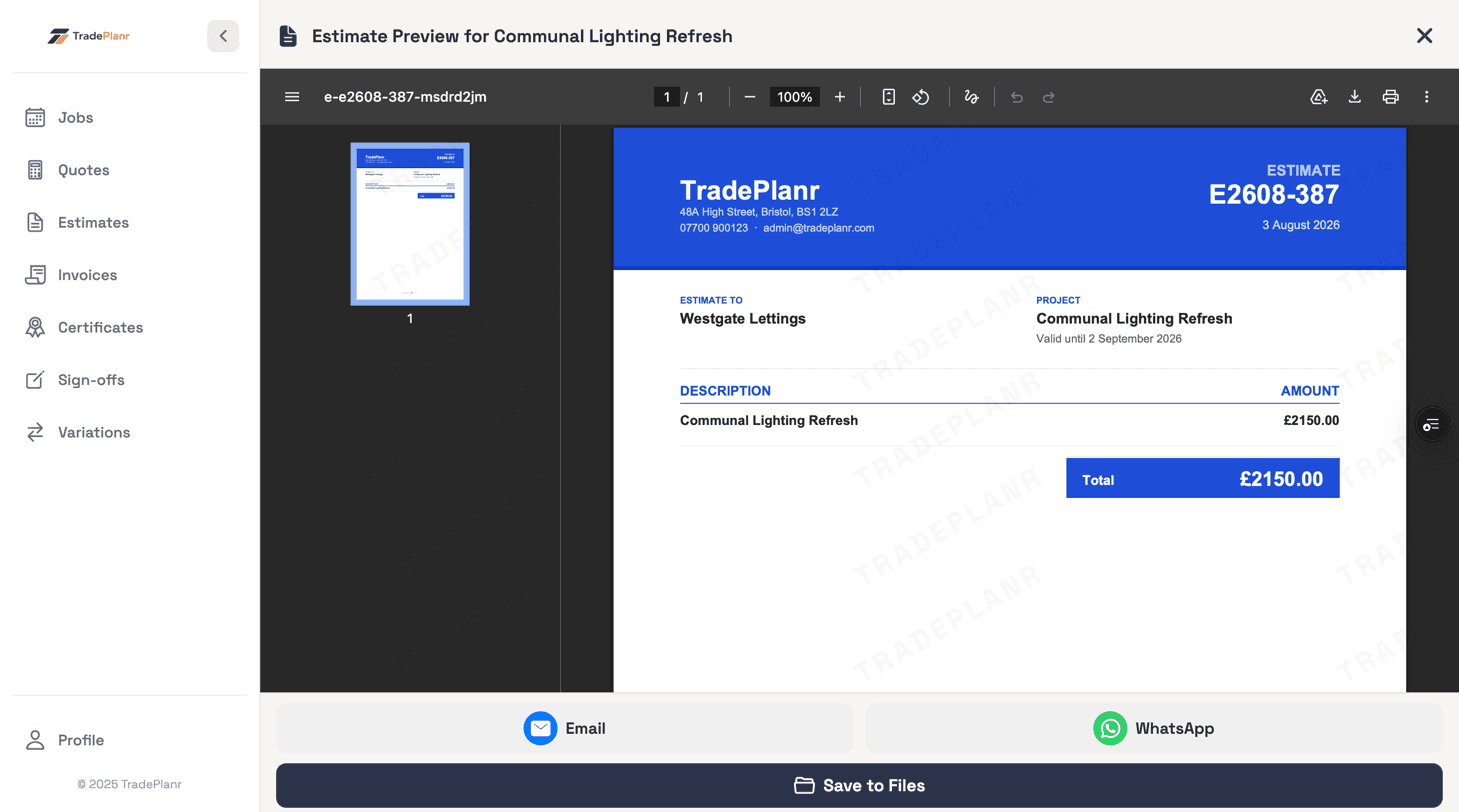
An estimate is early-stage pricing — a quick, professional ballpark you send before a proper site visit. A quote is the firm offer you make once you've seen the job. TradePlanr does both, and an estimate converts to a quote in a tap.
Yes — every estimate shared by link tracks views with a count and timestamps, and its status moves through draft, sent, accepted, declined or expired so you always know where it stands.
Convert the estimate to a quote for a firm price after the site visit, or straight to an invoice for smaller jobs. Client details, line items and prices all carry over.
Start free in your browser and set up your first job in minutes — no download needed.