

What is a Benchmark certificate?
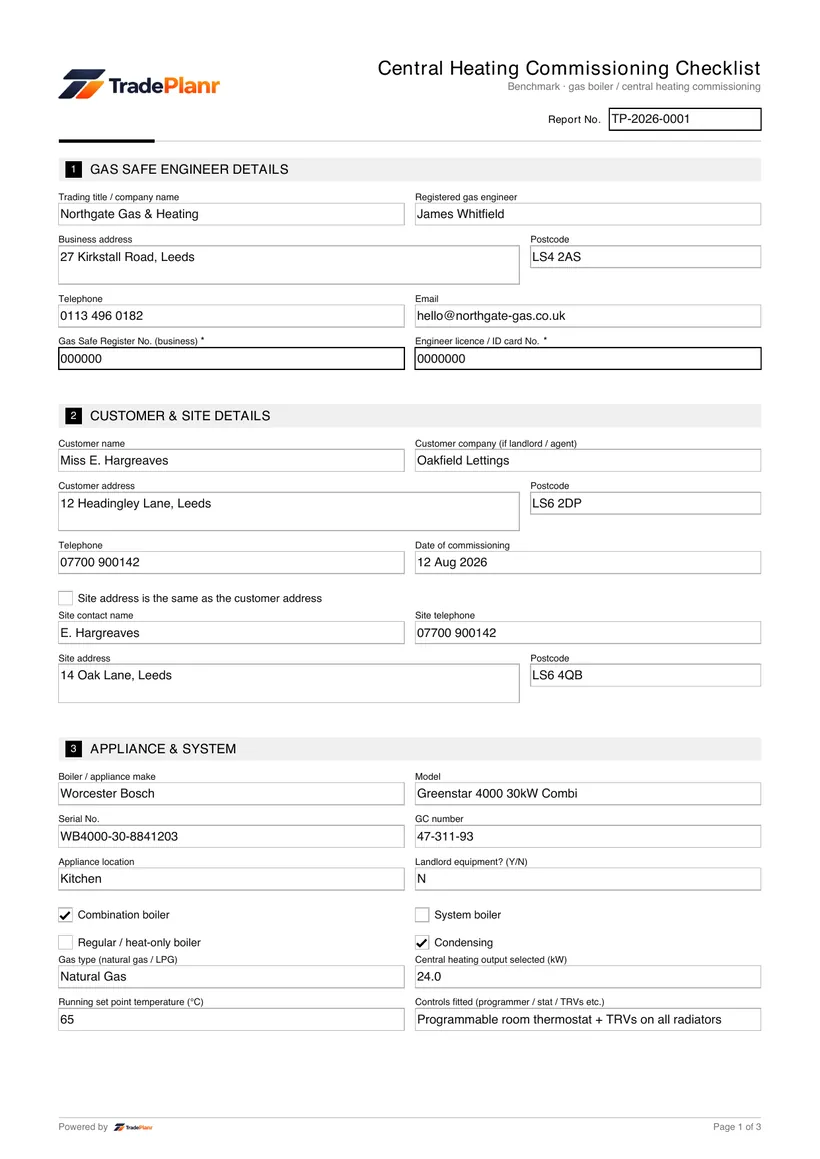
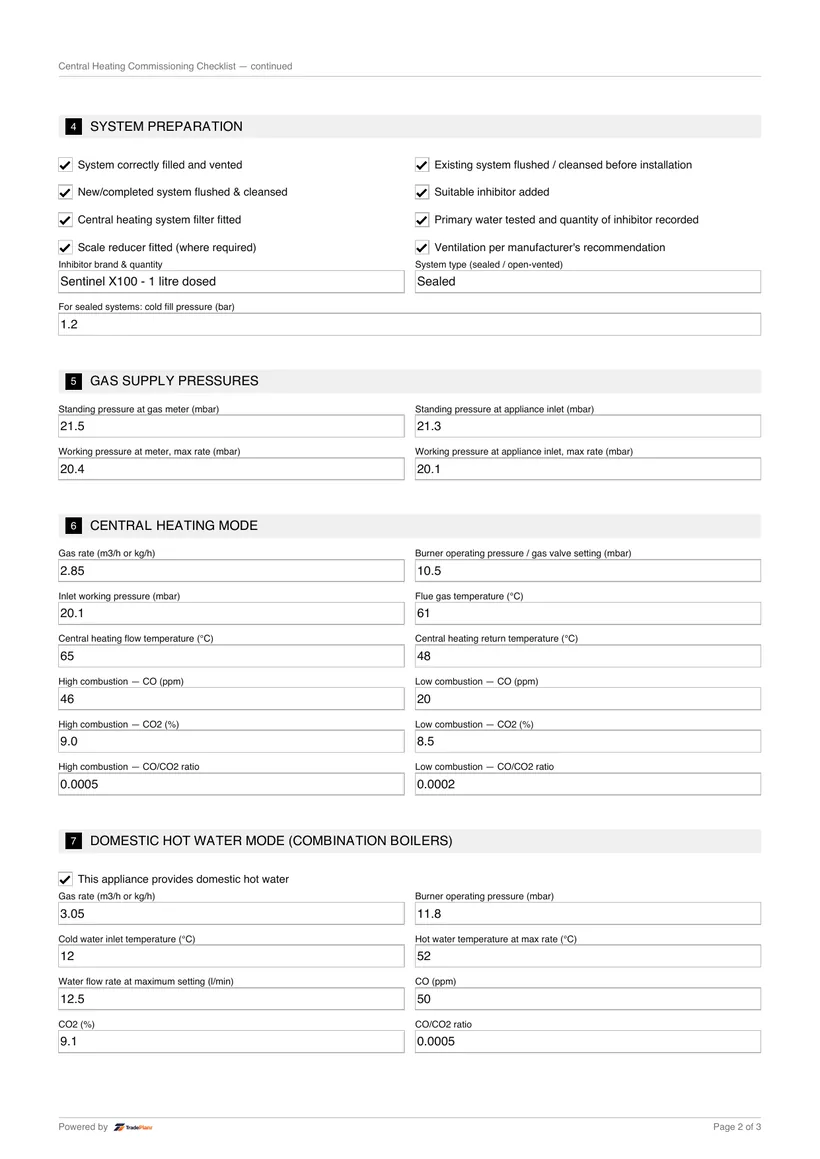
Benchmark is the industry commissioning checklist completed at boiler installation, recording the setup and readings needed to validate the manufacturer's warranty.
Fill it in on site, sign on screen, and send a professional Benchmark PDF before you leave the job.
Free to build · Send it with a 7-day free trial
Need a Benchmark for your own property? It's issued by the tradesperson who does the work — TradePlanr is the app they use.
The Benchmark checklist is the industry commissioning record completed when a boiler or heating system is installed. It captures the install details and commissioning readings needed to demonstrate the system was set up correctly.
Benchmark is administered through the Heating and Hotwater Industry Council (HHIC) and is widely required by manufacturers to validate a boiler's warranty.
TradePlanr lets you complete the Benchmark checklist on your phone at handover, record your commissioning readings, and issue a PDF the customer can keep with their warranty.
A Benchmark checklist is completed at the point a new boiler or heating system is installed and commissioned. It should be filled in and signed before the installer leaves site.
Most boiler manufacturers require a completed Benchmark record to activate and maintain the warranty, so it is important evidence for the customer.
The installation and commissioning must be carried out by a Gas Safe registered engineer competent for the work.
Open TradePlanr and start a job for the installation, adding the customer, boiler and system details.
Select the Benchmark commissioning template so the install and commissioning fields are ready.
Enter the boiler details, gas rate, operating pressure, combustion readings and system checks such as flushing and inhibitor.
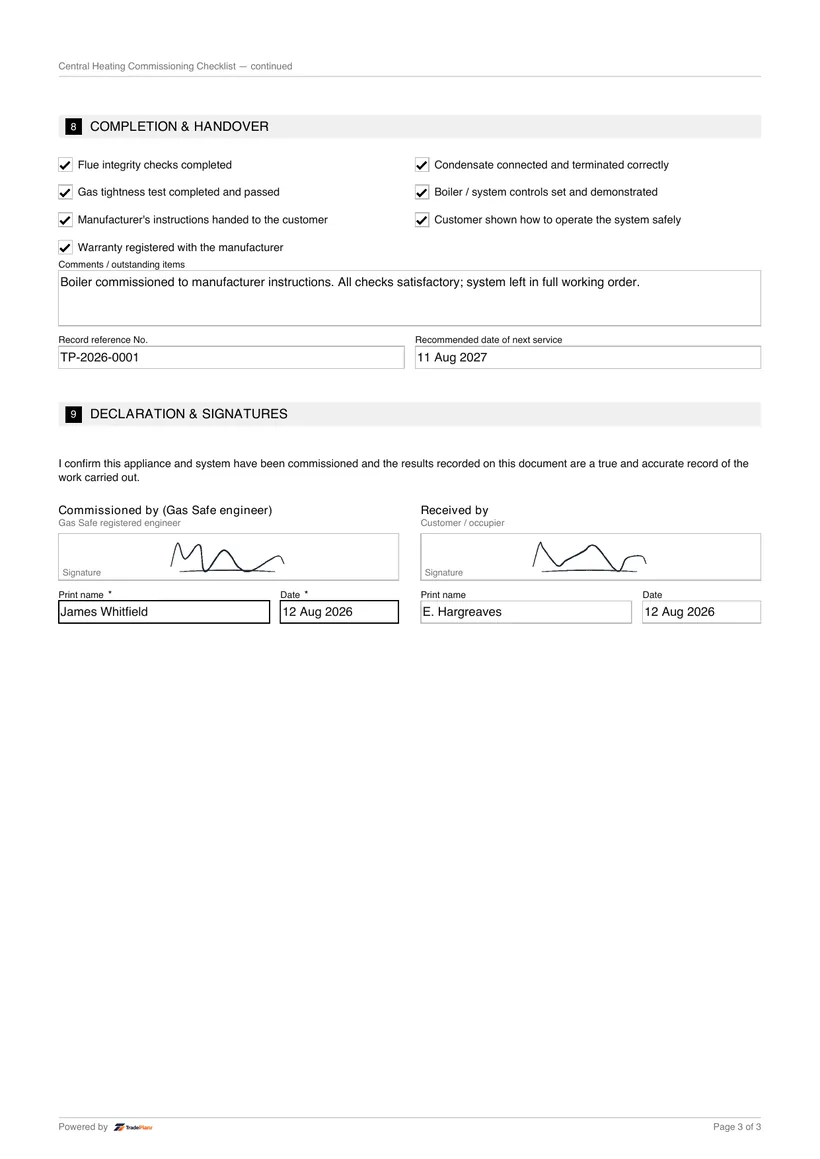
Sign on screen, confirm handover, and send the customer their Benchmark PDF to keep with the warranty.
TradePlanr generates this and 79 other gas, electrical, oil, plumbing and renewables certificates as proper PDFs — filled on site, signed on screen and stored against the job. Works even with no signal. Free to start.
Benchmark is the industry commissioning checklist completed at boiler installation, recording the setup and readings needed to validate the manufacturer's warranty.
Most manufacturers require a completed Benchmark record to activate and keep the boiler warranty valid, so it should always be filled in at install.
The Gas Safe registered engineer who installs and commissions the boiler completes and signs the Benchmark record.
Yes. TradePlanr lets you complete the Benchmark checklist on site, sign on screen and send the PDF to the customer at handover.
The service and maintenance record issued when a gas appliance is serviced.
The let-by and tightness test record for domestic gas installations to IGEM/UP/1B.
The commissioning record for an unvented hot water storage system under Part G3.
TradePlanr Agency builds custom-coded, SEO-optimised websites and runs Google Ads for UK trades — from £375, by the team behind TradePlanr.
Explore TradePlanr Agency