

OFTEC CD/10

OFTEC CD/10 Oil Installation Completion Report

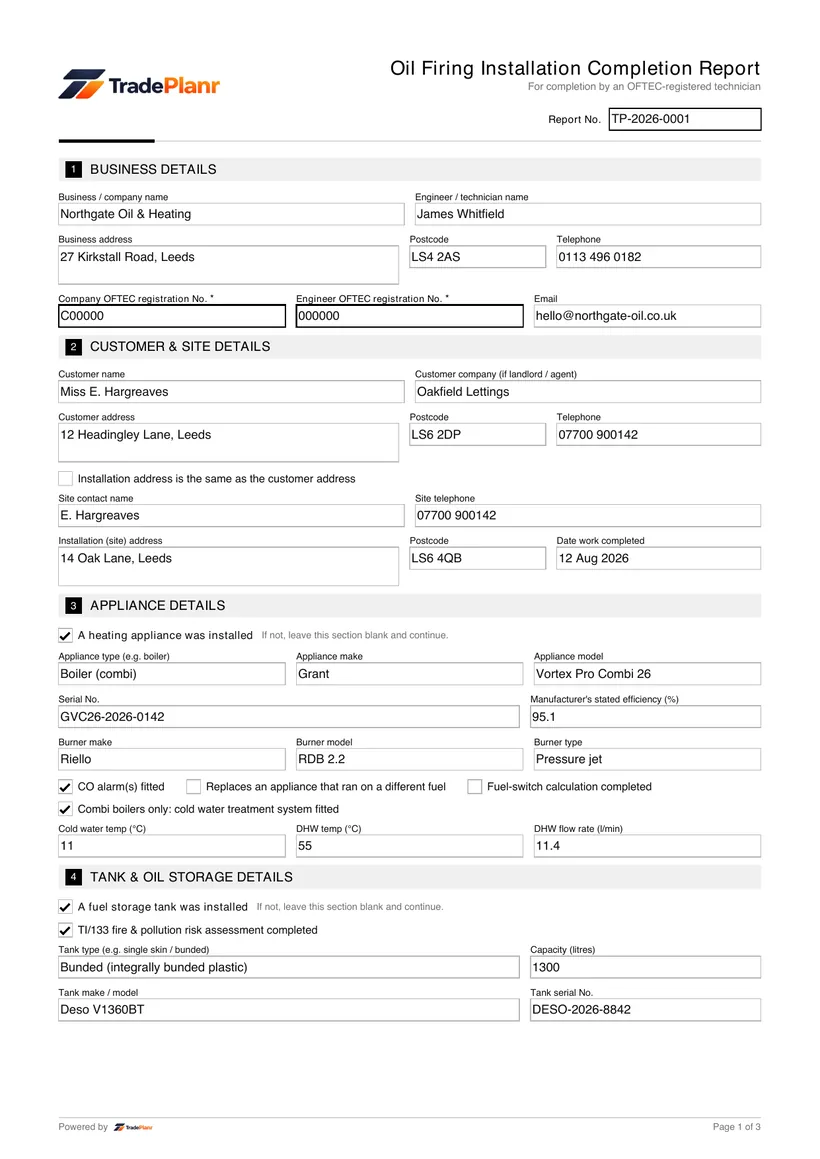
The OFTEC CD/10 is the Oil Installation Completion Report you complete when you install a new or replacement oil-fired appliance or oil storage tank. It records that the work meets the relevant standards and is used to notify Building Regulations through the OFTEC Competent Person Scheme.

With TradePlanr you fill in the CD/10 on your phone or tablet while you are still at the property, capture the customer's signature on the spot and send a professional PDF straight to their inbox. No paper pads, no typing it all up again back at the office.

Every report is stored against the job and customer, so your installation records are searchable and ready whenever a client, landlord or scheme assessor asks for a copy.

Issue this certificate from your phone

TradePlanr generates this and 35+ other gas, electrical, oil, plumbing and renewables certificates as proper PDFs — filled on site, signed on screen and stored against the job. Works even with no signal. Free to download.

Download on the App StoreGet it on Google Play

What it covers

  • Installation address, customer details and the date the work was completed
  • Details of the oil-fired appliance installed, including make, model and rating
  • Oil storage tank type, capacity and installation details where applicable
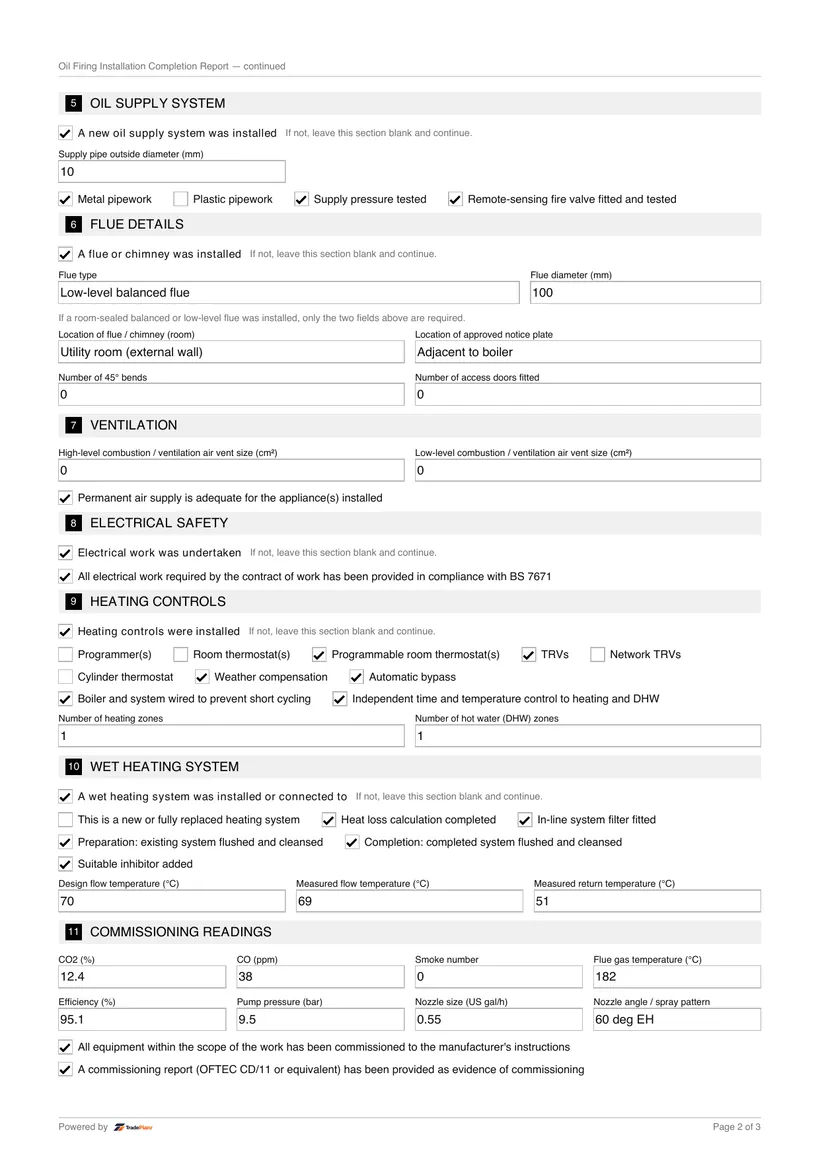
  • Confirmation that the installation meets the relevant OFTEC and Building Regulations requirements
  • Fuel supply, filtration and fire valve arrangements checked during commissioning
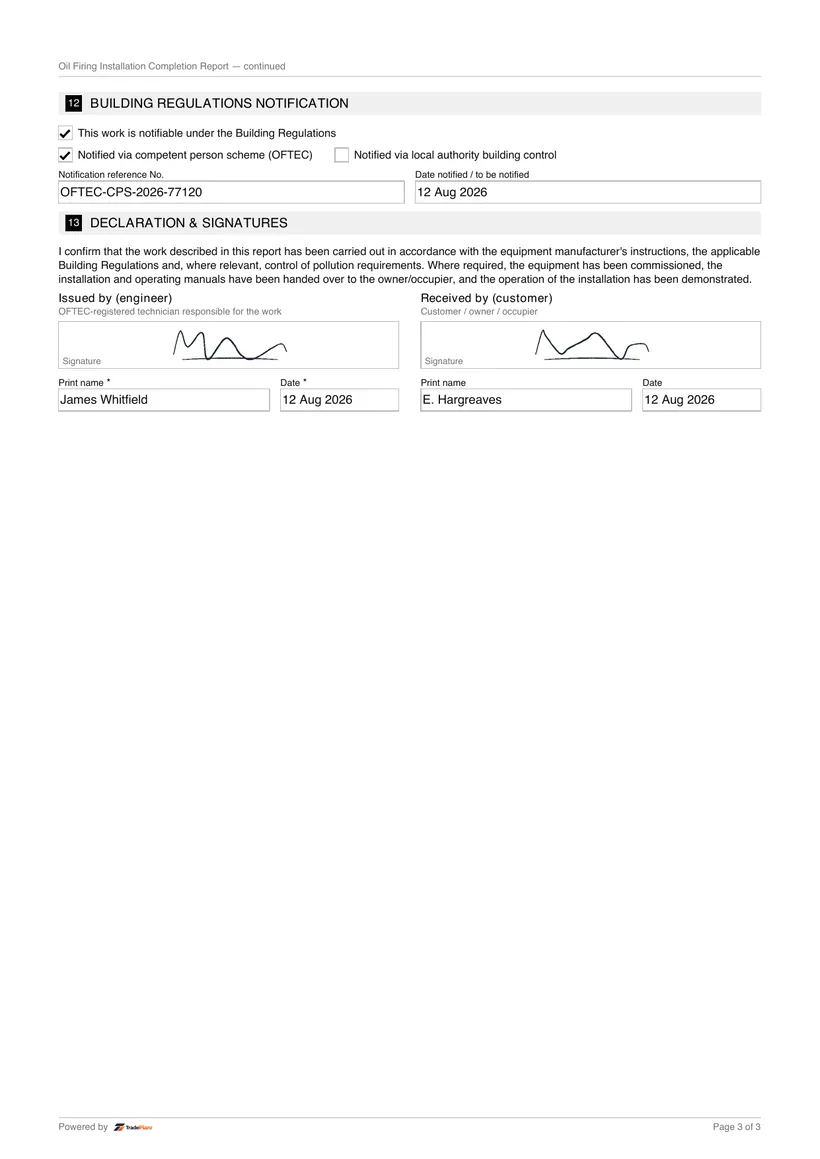
  • OFTEC registration number and the engineer's declaration and signature
  • Customer acknowledgement that the completion report has been received

When it's required

A CD/10 is completed whenever you install a new or replacement oil-fired appliance, or a new oil storage tank, that falls under Building Regulations. As a registered OFTEC technician you use it to self-certify the work rather than submitting a separate notification to your local authority.

The report gives the customer written proof that the installation was carried out and notified correctly. It should be issued to the householder or landlord on completion and kept with the property records, particularly for future sales, servicing and safety checks.

How to issue it in TradePlanr

  1. 1

    Enter the installation and appliance details

    Open a new CD/10, add the property and customer, then record the oil-fired appliance make, model, rating and any oil storage tank you have installed.

  2. 2

    Record commissioning and compliance checks

    Log the fuel supply, filtration, fire valve and commissioning results, confirming the installation meets OFTEC and Building Regulations requirements.

  3. 3

    Add your OFTEC registration and declaration

    Enter your OFTEC registration number and complete the engineer's declaration confirming the work has been carried out to standard.

  4. 4

    Sign and store the PDF

    Capture the customer's signature, then generate a branded PDF that is emailed to the customer and saved against the job automatically.

Frequently asked questions

What is an OFTEC CD/10?

The OFTEC CD/10 is the Oil Installation Completion Report used when installing a new or replacement oil-fired appliance or oil storage tank. Registered technicians use it to notify the work through the OFTEC Competent Person Scheme.

When do I need to issue a CD/10?

You issue a CD/10 on completion of a notifiable oil-fired appliance or tank installation. It is given to the customer as proof the work was carried out and notified under Building Regulations.

Can I complete OFTEC forms on my phone?

Yes. TradePlanr lets you complete the CD/10 on your phone or tablet at the property, capture a signature and send a PDF without any paperwork back at the office.

Who keeps the completed CD/10?

The customer should keep their copy with the property records, and TradePlanr stores your copy against the job so you can retrieve it whenever it is needed.

No card required · Free to start · iPhone, Android & web