

BS 7671 Section 722

EV Charge Point Installation Certificate App

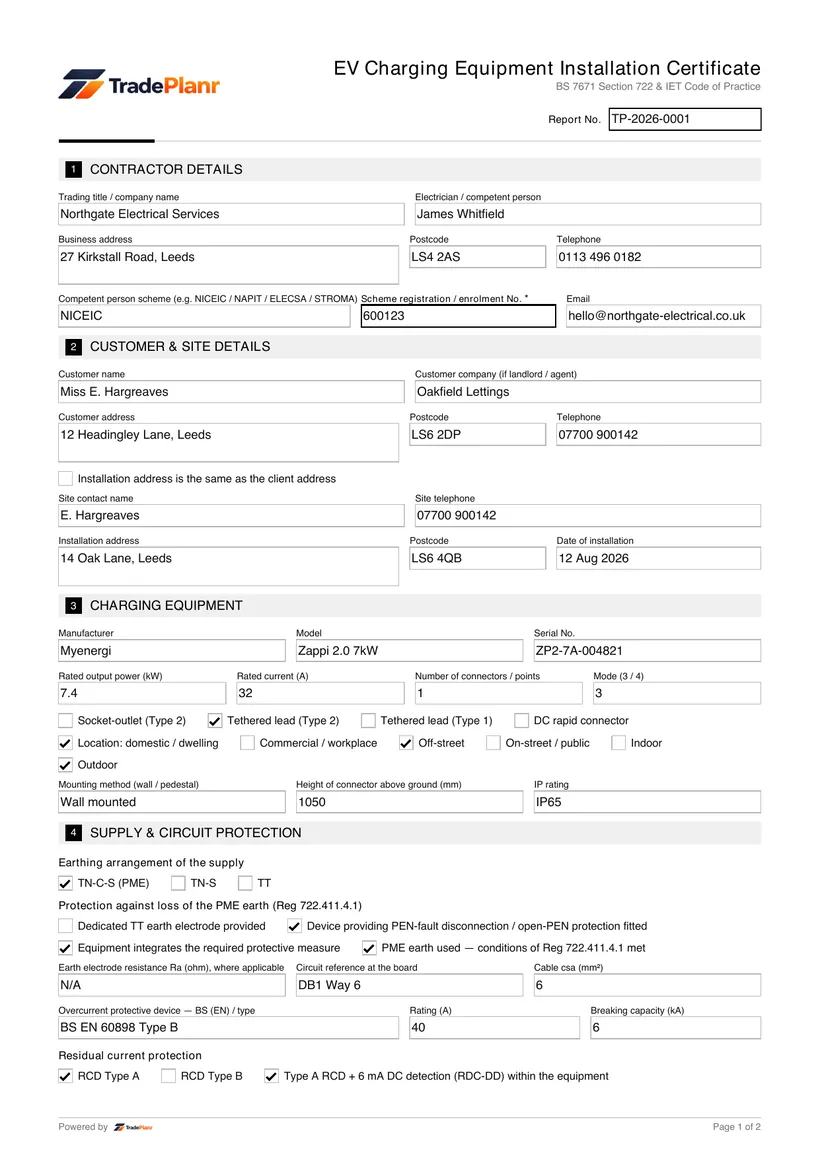
An EV charge point installation certificate records that an electric vehicle charging point has been installed and tested safely. The work must meet BS 7671, including the additional requirements of Section 722 for electric vehicle charging installations.

TradePlanr lets you complete the certificate on site, capturing the charge point details, the protective measures for the installation, and the test results. It is usually issued together with an Electrical Installation Certificate or a Minor Works certificate for the electrical work itself.

Once signed, TradePlanr generates a professional PDF you can give to the customer, confirming the charge point was installed to the current standard.

Issue this certificate from your phone

TradePlanr generates this and 35+ other gas, electrical, oil, plumbing and renewables certificates as proper PDFs — filled on site, signed on screen and stored against the job. Works even with no signal. Free to download.

Download on the App StoreGet it on Google Play

What it covers

  • Charge point make, model, rating and mounting location
  • Supply arrangement, earthing and the circuit supplying the charge point
  • Protective measures required by BS 7671 Section 722
  • PEN fault detection or the earthing method used for the installation
  • Confirmation the DNO has been notified where required
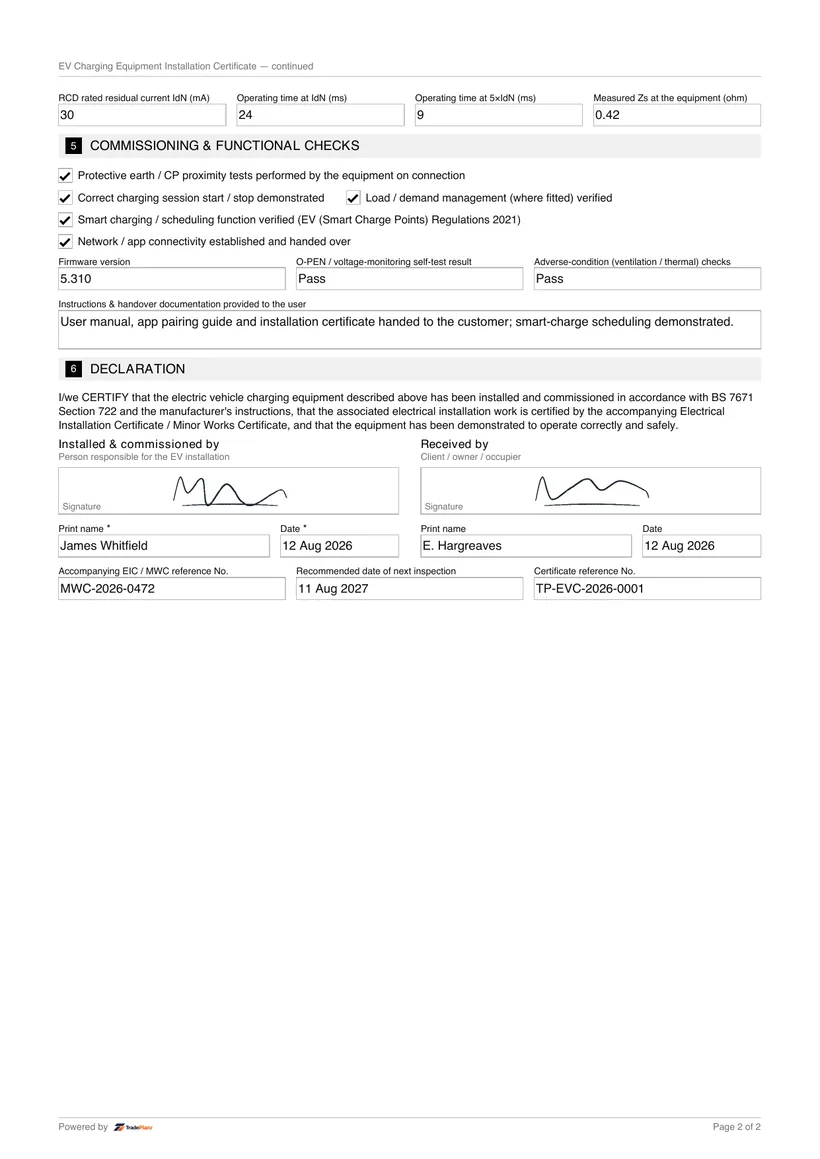
  • Test results for the charge point circuit and its protective devices
  • Declaration and signature confirming compliance with BS 7671

When it's required

A certificate should be issued whenever a new EV charge point is installed. Because the charge point is normally supplied by a new or altered circuit, the electrical work is certified with an EIC or a Minor Works certificate alongside the charge point details.

BS 7671 Section 722 sets out the extra requirements for EV charging installations, including how the installation protects against the risks specific to charging a vehicle, such as a PEN conductor fault on a PME supply. PEN fault detection is one recognised method of meeting these requirements.

Where required, the Distribution Network Operator (DNO) should be notified of the installation. The certificate and the accompanying electrical certificate form the record given to the customer.

How to issue it in TradePlanr

  1. 1

    Record the charge point and supply

    Add the charge point make, model and rating, along with the supply arrangement, earthing method and the circuit that feeds it.

  2. 2

    Confirm Section 722 protective measures

    Record the protective measures required by BS 7671 Section 722, including the PEN fault detection or earthing method used.

  3. 3

    Enter test results and DNO notification

    Log the test results for the charge point circuit and confirm that the DNO has been notified where this is required.

  4. 4

    Sign and issue with the EIC or Minor Works

    Sign on screen and generate a PDF, issued together with the EIC or Minor Works certificate for the electrical work.

Frequently asked questions

Do I need to notify the DNO for an EV charger?

In many cases yes. Depending on the supply and the load, the Distribution Network Operator should be notified of the installation. The certificate records that this notification has been made where required.

What is PEN fault detection on an EV charger?

PEN fault detection is one way of meeting BS 7671 Section 722 requirements on a PME supply. It protects the user if the combined protective earth and neutral conductor develops a fault, and is recorded on the certificate.

Do I still need an EIC for an EV charger?

Usually yes. The circuit supplying the charge point is certified with an Electrical Installation Certificate or a Minor Works certificate, and the EV charge point certificate is issued alongside it.

Can I certify an EV charger install on my phone?

Yes. TradePlanr lets you record the charge point details, Section 722 protective measures, test results and DNO notification, then sign and issue the PDF on site.

No card required · Free to start · iPhone, Android & web