

MCS / BS 7671

Solar PV and Battery Commissioning Certificate App

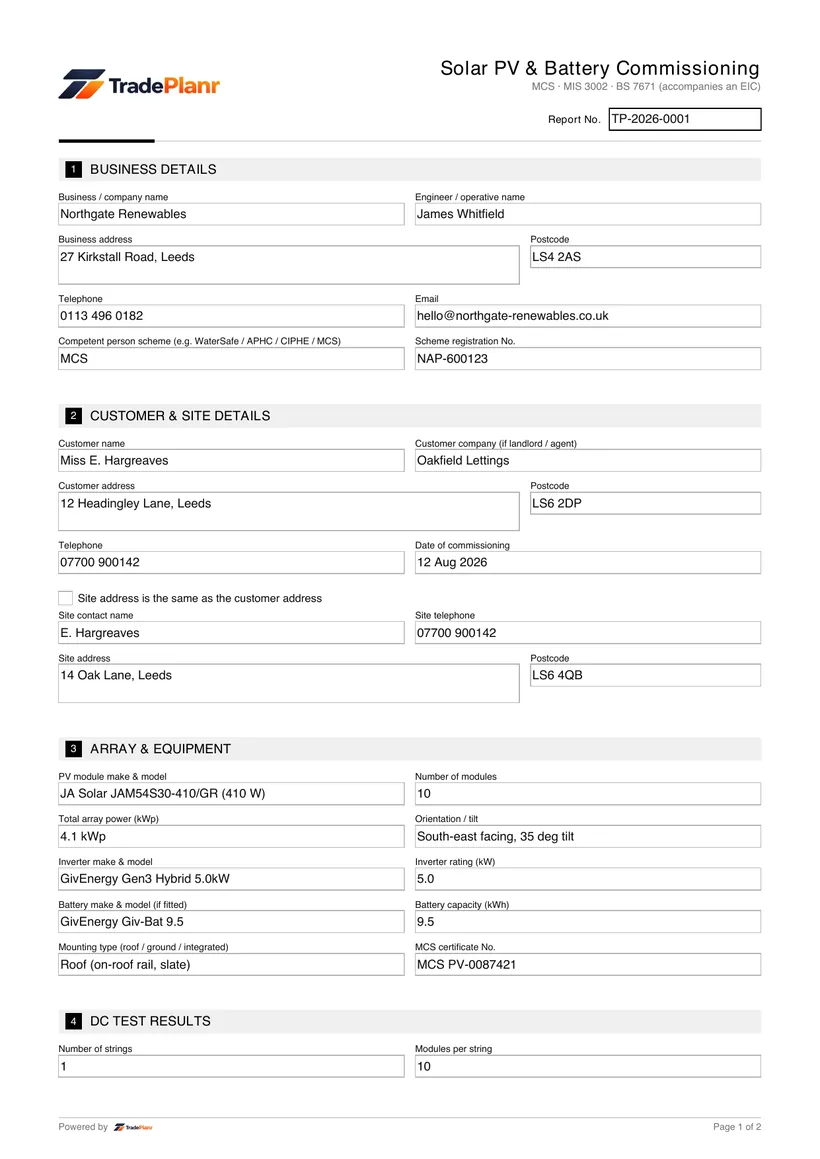
A solar PV and battery commissioning certificate records that a solar photovoltaic system, and any battery storage, has been installed, tested and commissioned correctly. The work must meet BS 7671 and, for MCS-registered installations, the relevant MCS standards.

TradePlanr lets you complete the commissioning record on site, capturing the array test results, the inverter and battery commissioning details, and the grid connection notification. Everything is recorded on your phone as you work through the system.

You then produce a PDF for the customer that pulls the commissioning details together, ready to support their MCS certification and any warranty or export arrangements.

Issue this certificate from your phone

TradePlanr generates this and 35+ other gas, electrical, oil, plumbing and renewables certificates as proper PDFs — filled on site, signed on screen and stored against the job. Works even with no signal. Free to download.

Download on the App StoreGet it on Google Play

What it covers

  • System details including array size, module and inverter make and model
  • Battery storage details and its commissioning data where fitted
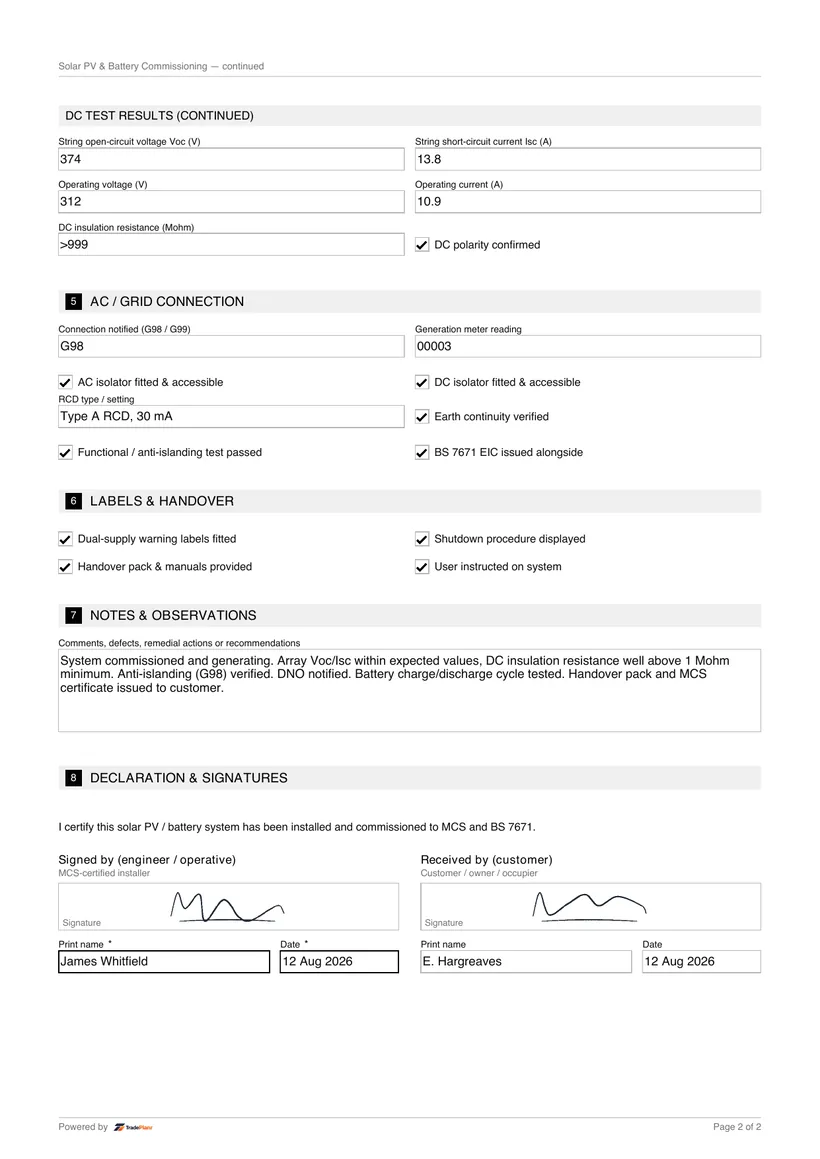
  • Array test results such as string voltage, polarity and insulation resistance
  • Inverter commissioning settings and confirmation the system is operating
  • Confirmation the installation meets BS 7671 and MCS requirements
  • G98 or G99 notification to the DNO for the grid connection
  • Declaration and signature for the commissioning engineer

When it's required

A commissioning certificate is completed when a new solar PV system, or a battery storage system, is installed and brought into service. It records the tests and settings that confirm the system is safe and working as designed.

For MCS-registered installations, the commissioning record supports the MCS certificate that the customer needs for schemes such as the Smart Export Guarantee. The electrical installation itself is also covered by BS 7671.

The grid connection must be notified to the Distribution Network Operator. Smaller systems are usually connected under G98, while larger systems require a G99 application, and the certificate records which route was used.

How to issue it in TradePlanr

  1. 1

    Record the system and battery details

    Add the array size, module and inverter details, and any battery storage, along with the client and installation address.

  2. 2

    Enter the array test results

    Log the array test readings such as string voltage, polarity and insulation resistance to confirm the DC side is safe.

  3. 3

    Commission the inverter and battery

    Record the inverter commissioning settings and any battery commissioning data, confirming the system is generating and operating.

  4. 4

    Log G98 or G99 and issue the PDF

    Record the G98 or G99 notification to the DNO, sign on screen and generate the PDF commissioning certificate for the customer.

Frequently asked questions

What is the difference between G98 and G99?

G98 is the connection route for smaller generation that can be connected and then notified to the DNO, while G99 applies to larger installations that need an application and agreement before connection. The certificate records which one applies.

Do I need MCS to commission a solar PV system?

MCS registration is needed for the customer to access schemes such as the Smart Export Guarantee. The commissioning certificate supports MCS certification, and the electrical work must also meet BS 7671.

What tests are recorded when commissioning solar PV?

The certificate captures array tests such as string voltage, polarity and insulation resistance, plus inverter and battery commissioning data confirming the system is operating correctly.

Can I commission a solar and battery install on my phone?

Yes. TradePlanr lets you record the array test results, inverter and battery commissioning, and the G98 or G99 notification, then sign and issue the PDF on site.

No card required · Free to start · iPhone, Android & web