

Has G83/2 been replaced?
Yes. G83 (and the earlier G83/2) has been superseded by Engineering Recommendation G98 for small single-premises generators, with G99 for larger or multiple installations. This confirmation follows G98/G99.
Fill it in on site, sign on screen, and send a professional G98/G99 PDF before you leave the job.
Free to build · Send it with a 7-day free trial
Need a G98/G99 for your own property? It's issued by the tradesperson who does the work — TradePlanr is the app they use.
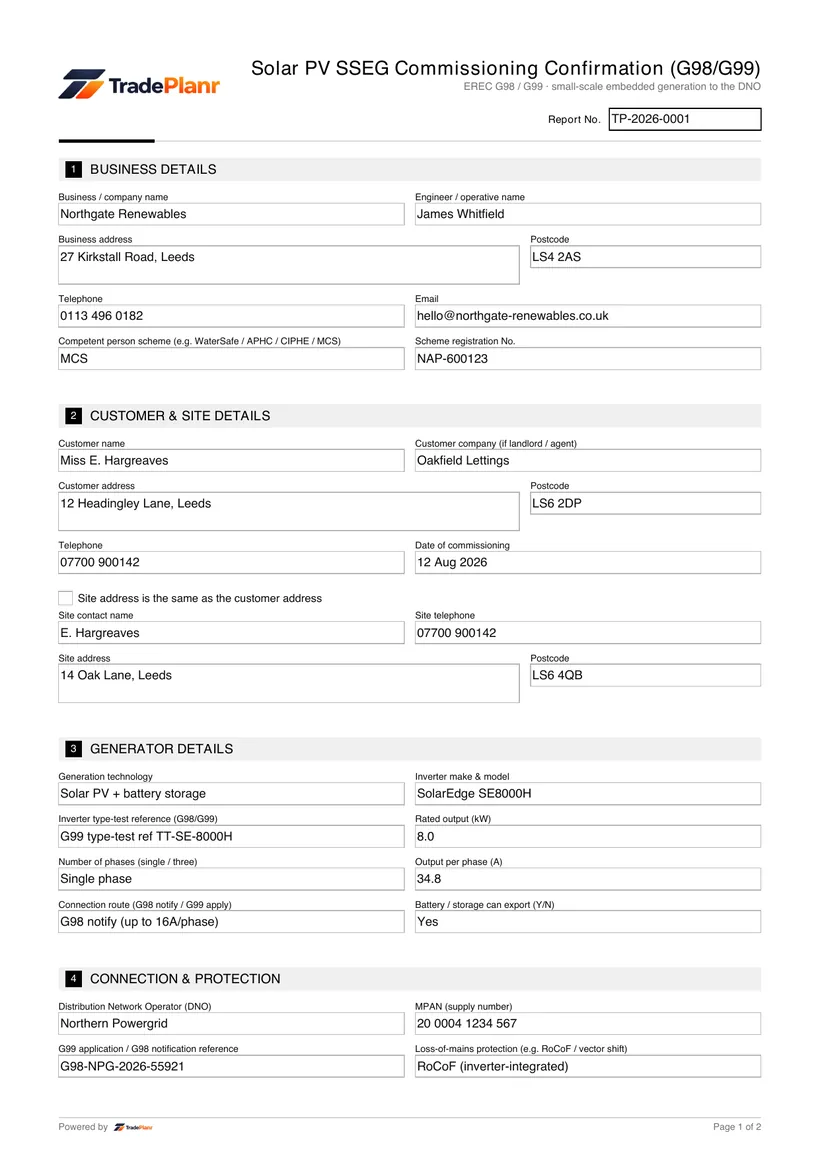
When you connect a small-scale embedded generator such as a solar PV system to the grid, it must be notified to or approved by the Distribution Network Operator (DNO) under Engineering Recommendation G98 or G99. The commissioning confirmation records that the generator has been installed and commissioned to G98/G99.
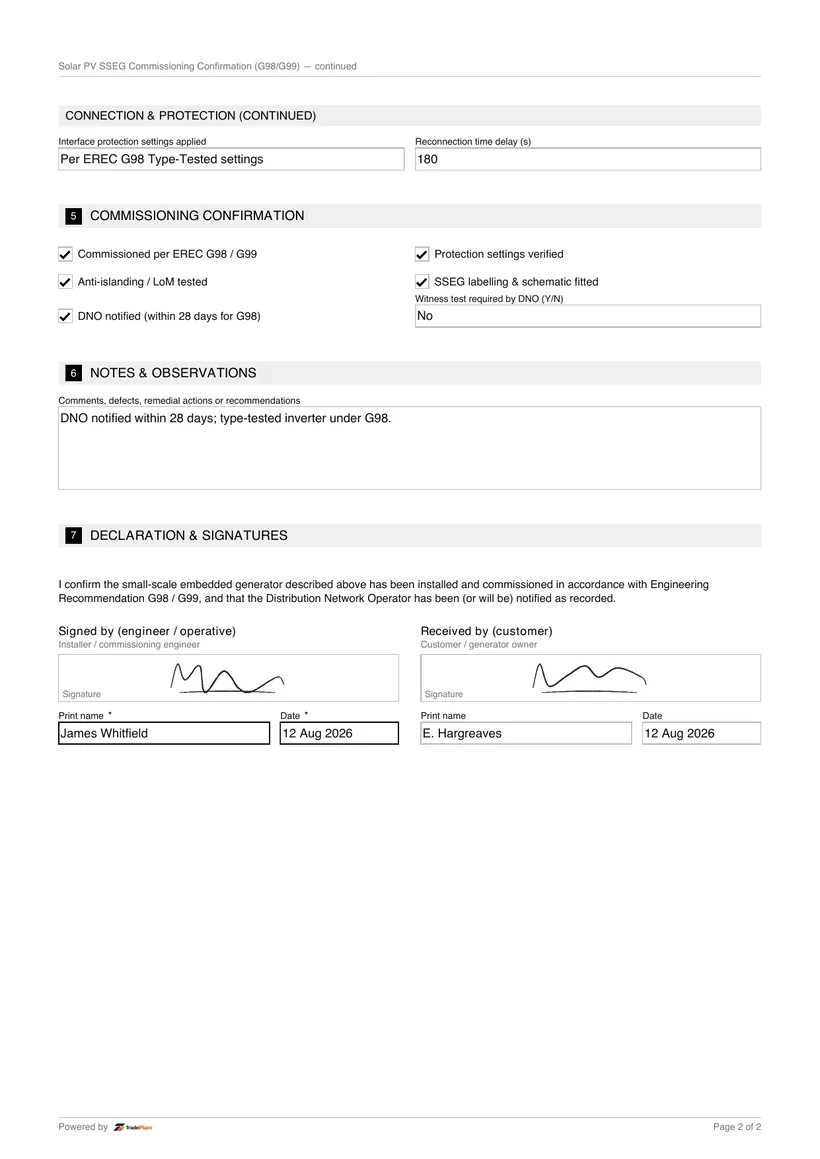
TradePlanr captures the generator and inverter details, the connection route and DNO reference, the interface and loss-of-mains protection, and the commissioning confirmation including the anti-islanding test.
This is the current replacement for the withdrawn G83/2 form. Sign on screen and issue a branded PDF for the customer and the DNO.
A G98 notification applies to small single-premises generators (up to 16A per phase); larger or multiple installations follow the G99 application process.
For G98, the DNO must be notified within 28 days of commissioning. The confirmation records the commissioning and notification for the customer and the DNO.
Add the technology, inverter, type-test reference, rated output and phases.
Add the connection route, DNO, MPAN and G98/G99 reference, and the protection settings.
Confirm the protection settings, the anti-islanding test, the labelling and the DNO notification.
Sign on screen and produce a branded PDF for the customer and DNO.
TradePlanr generates this and 79 other gas, electrical, oil, plumbing and renewables certificates as proper PDFs — filled on site, signed on screen and stored against the job. Works even with no signal. Free to start.
Yes. G83 (and the earlier G83/2) has been superseded by Engineering Recommendation G98 for small single-premises generators, with G99 for larger or multiple installations. This confirmation follows G98/G99.
For a G98 connection the DNO must be notified within 28 days of commissioning. A G99 connection requires an application to, and agreement from, the DNO before connection.
The installer normally sends the commissioning confirmation to the DNO on the customer's behalf, along with the installation details and type-test references. The customer keeps a copy in their handover pack as evidence the connection was notified.
Commissioning records for solar PV arrays and battery storage to MCS and BS 7671.
The DC string test record for a solar PV array — Voc, Isc, insulation and polarity per string.
The independent verification record confirming a PV installation meets MCS and BS 7671.
TradePlanr Agency builds custom-coded, SEO-optimised websites and runs Google Ads for UK trades — from £375, by the team behind TradePlanr.
Explore TradePlanr Agency