

Installation & handover record

CCTV Commissioning Certificate

Fill it in on site, sign on screen, and send a professional CCTV PDF before you leave the job.

Free to build · Send it with a 7-day free trial

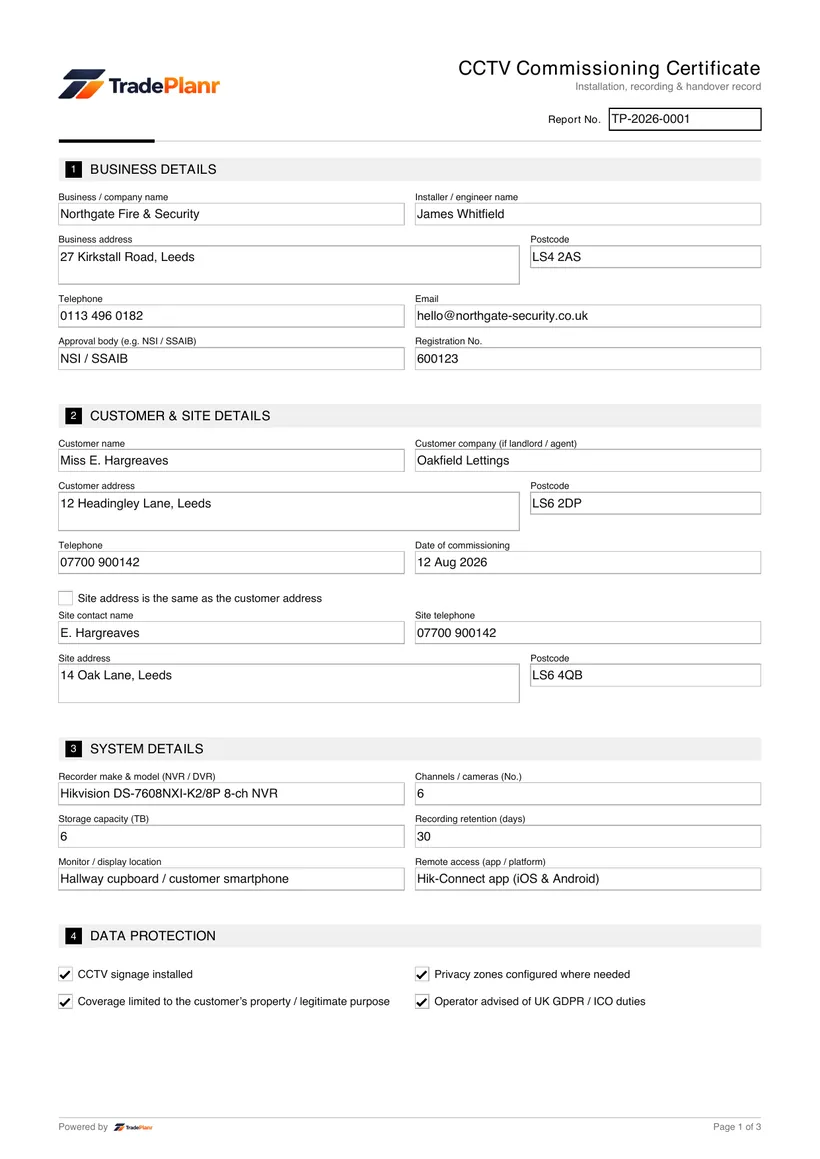
A CCTV commissioning certificate records that a camera system has been installed, configured and proven working at handover. It captures the recorder and cameras fitted, how long footage is retained, and the tests carried out to show that recording, playback and remote access all work as intended before the customer takes over the system.

It is completed whenever a new CCTV installation is handed over, and it matters beyond the technical checks. Commercial operators have duties under UK GDPR and ICO guidance, and even domestic systems engage data protection law where cameras capture beyond the property boundary, so the certificate also records the signage, privacy zones and coverage decisions made at install.

TradePlanr lets you complete the certificate on your phone or tablet at the property, verify each camera view as you walk the system, confirm the data protection and password checks, capture the customer's signature and issue a branded PDF on site with a copy stored against the job.

What it covers

  • System details including the NVR or DVR make and model, number of channels and storage fitted
  • The footage retention period in days and whether remote access is configured
  • Data protection checks — signage in place, privacy zones set, coverage proportionate, and UK GDPR / ICO duties advised to the customer
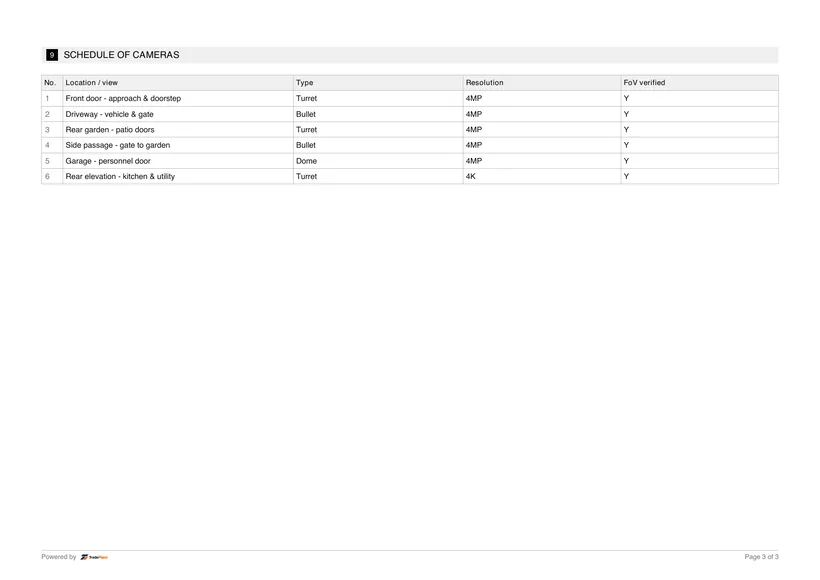
  • A camera schedule covering up to six cameras, with location, type, resolution and view verified for each
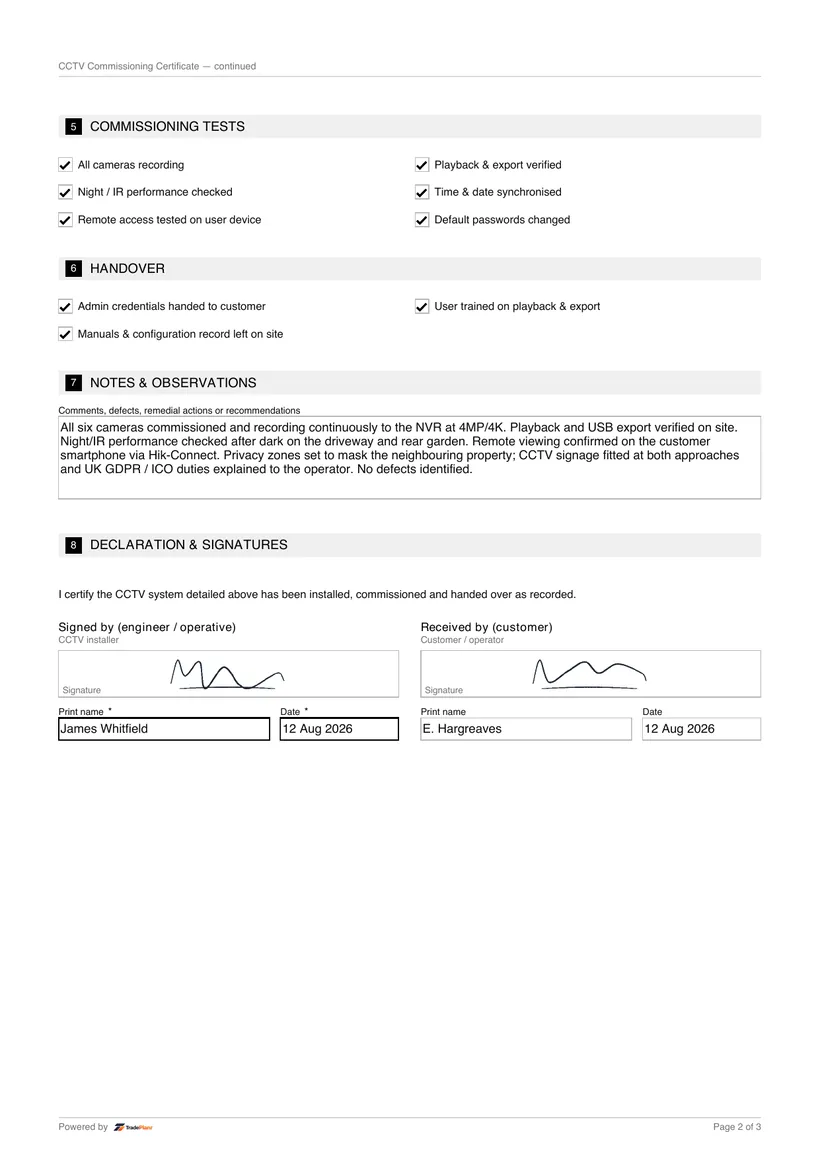
  • Commissioning tests including recording, playback and export, night and IR performance, and time synchronisation
  • Confirmation that remote access works and that default passwords have been changed
  • Handover details including customer training and the signed acceptance

When it's required

On commercial installations the operator has duties under UK GDPR and the ICO's surveillance guidance, and insurers increasingly expect evidence that a CCTV system was commissioned properly. The certificate documents the retention, signage and privacy settings the system was handed over with.

On domestic installations, cameras that capture beyond the property boundary — a neighbour's garden, the pavement or road — bring the system within UK GDPR, so recording that coverage was set proportionately and the customer was advised protects both parties.

A signed commissioning certificate is valuable handover evidence in any later dispute, whether about footage quality, retention or what the system was capable of on the day it was handed over.

How to issue it in TradePlanr

  1. 1

    Enter the system details

    Record the NVR or DVR make and model, the number of channels, the storage fitted, the retention period in days and whether remote access is configured.

  2. 2

    Complete the data protection checks

    Confirm signage is in place, privacy zones are set, coverage is proportionate to its purpose and that you have advised the customer of their UK GDPR and ICO duties.

  3. 3

    Verify the camera schedule

    Log each camera's location, type and resolution, and verify its view on the monitor as you walk the system so the schedule shows every camera is delivering the intended coverage.

  4. 4

    Run the commissioning tests

    Test recording, playback and export, night and IR performance, time synchronisation and remote access, and confirm all default passwords have been changed.

  5. 5

    Sign and issue the PDF on site

    Record the customer training given, capture their signature and generate a branded PDF certificate on site, with a copy stored against the job.

Issue this certificate from your phone or the web

TradePlanr generates this and 45+ other gas, electrical, oil, plumbing and renewables certificates as proper PDFs — filled on site, signed on screen and stored against the job. Works even with no signal. Free to start.

Frequently asked questions

Does home CCTV need to be registered?

A domestic system that only captures within the property boundary falls outside data protection law. Where cameras capture beyond the boundary, ICO guidance says the householder becomes a data controller under UK GDPR and should operate the system responsibly — signage, limited retention and respecting neighbours — though domestic operators are exempt from paying the ICO data protection fee.

How long should CCTV footage be kept?

There is no fixed legal period — UK GDPR requires footage to be kept no longer than necessary for its purpose. Around 30 days is common, and many systems overwrite sooner depending on storage. The certificate records the retention period configured at handover so the operator knows what their system actually keeps.

Why do default passwords matter on CCTV systems?

Recorders and cameras ship with published default credentials, and internet-connected systems left on defaults are routinely found and accessed by strangers. Changing every default password at commissioning, and recording that on the certificate, is one of the most important security steps in the whole installation.

What are privacy zones and when should I set them?

Privacy zones mask areas of a camera's view — a neighbour's window or garden, for example — so they are never recorded. They should be set wherever a camera's field of view unavoidably takes in areas beyond what the system needs to cover, keeping the coverage proportionate.

Can I issue the CCTV certificate on site?

Yes. TradePlanr lets you complete the camera schedule and commissioning tests on your phone or tablet, capture the customer's signature and generate a branded PDF certificate before you leave the property.

Start Now — It's Free

Free to start · No card · No download needed — works in your browser

Download on the App StoreGet it on Google Play