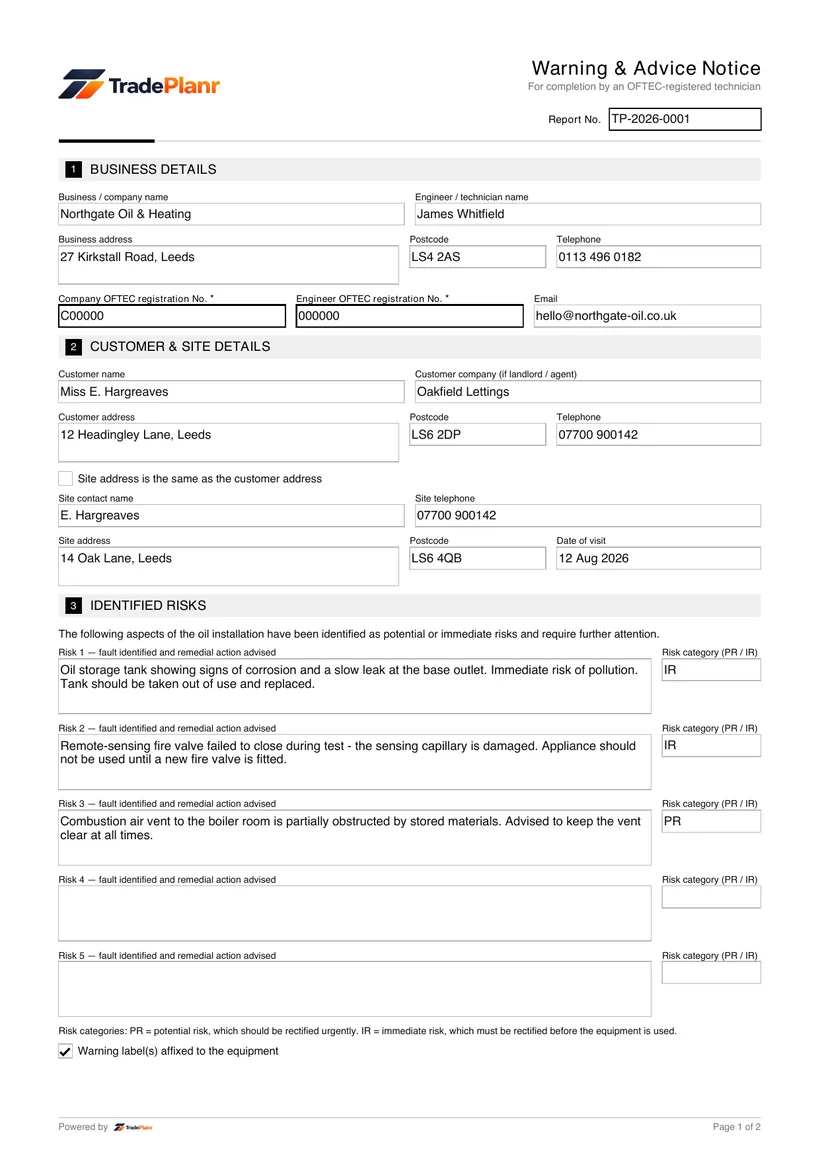
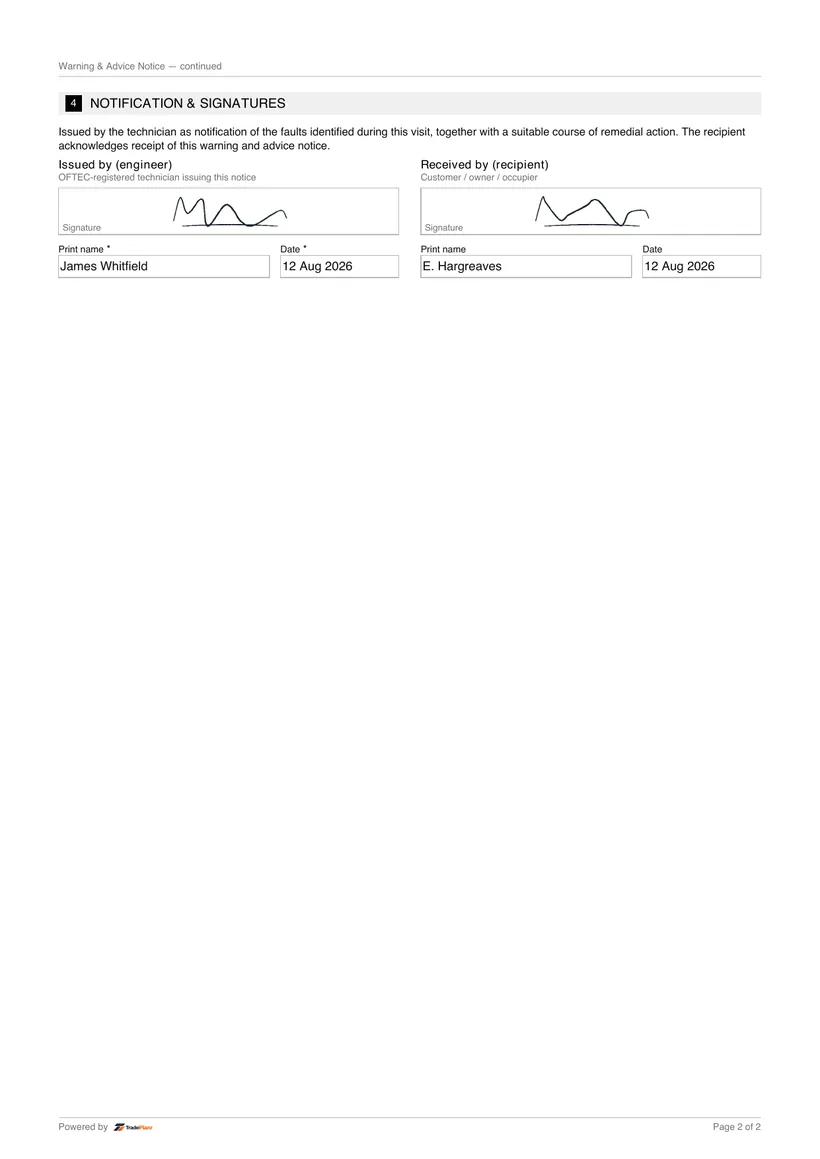


What is an OFTEC CD/14?
The OFTEC CD/14 is the Oil Warning and Advice Notice, issued when an oil installation or appliance is found to be unsafe or at risk. It documents the fault, the advice given and the action taken.
Fill it in on site, sign on screen, and send a professional CD/14 PDF before you leave the job.
Free to build · Send it with a 7-day free trial
Need a CD/14 for your own property? It's issued by the tradesperson who does the work — TradePlanr is the app they use.
The OFTEC CD/14 is the Oil Warning and Advice Notice issued when an oil installation is found to be unsafe or at risk. It documents the fault, the advice given and the action taken so there is a clear written record of the situation.
TradePlanr lets you raise a CD/14 on your phone at the property the moment you identify a problem, record the details and produce a PDF for the customer immediately. It ensures the warning is captured properly rather than scribbled on a job sheet.
Each notice is stored against the customer and property, giving you and the customer a clear record of when the fault was found and what advice was issued.
A CD/14 is issued when you identify that an oil installation or appliance is unsafe or at risk during an installation, service, safety check or breakdown visit. It records the defect and the advice given so both you and the customer have documented evidence.
The notice should be given to the customer at the time, and a copy retained with your records. It is an important safeguard, showing you clearly warned the customer about the risk and set out the remedial work needed.
Open a CD/14, add the customer and property, then record the oil-fired appliance or installation that has been found to be at risk.
Record the defect that makes the installation unsafe and assign the appropriate risk classification for the situation you have found.
Log the advice given to the customer, any action such as isolating the appliance, and the remedial work needed to make it safe.
Capture the customer's signature, then generate a branded PDF that is emailed to the customer and saved against the job automatically.
TradePlanr generates this and 79 other gas, electrical, oil, plumbing and renewables certificates as proper PDFs — filled on site, signed on screen and stored against the job. Works even with no signal. Free to start.
The OFTEC CD/14 is the Oil Warning and Advice Notice, issued when an oil installation or appliance is found to be unsafe or at risk. It documents the fault, the advice given and the action taken.
You issue a CD/14 whenever you find an oil installation or appliance that is unsafe or at risk, so there is a written record of the defect and the advice you gave the customer.
Yes. TradePlanr lets you raise the CD/14 on your phone or tablet at the property, capture a signature and email the customer a PDF straight away.
The customer is given a copy at the time, and TradePlanr stores your copy against the job so you have documented evidence of the warning and advice provided.
The OFTEC CD/12 landlord safety check for oil-fired appliances in rented homes.
The OFTEC CD/11 record for servicing and commissioning oil-fired appliances.
The OFTEC TI/133D risk assessment for the siting of an oil storage tank.
TradePlanr Agency builds custom-coded, SEO-optimised websites and runs Google Ads for UK trades — from £375, by the team behind TradePlanr.
Explore TradePlanr Agency