

What is the difference between At Risk and Immediately Dangerous?
Immediately Dangerous (ID) means the appliance poses a danger to life or property if used, while At Risk (AR) means a fault could become dangerous. Both are handled under GIUSP.
Fill it in on site, sign on screen, and send a professional Warning PDF before you leave the job.
Free to build · Send it with a 7-day free trial
Need a Warning for your own property? It's issued by the tradesperson who does the work — TradePlanr is the app they use.
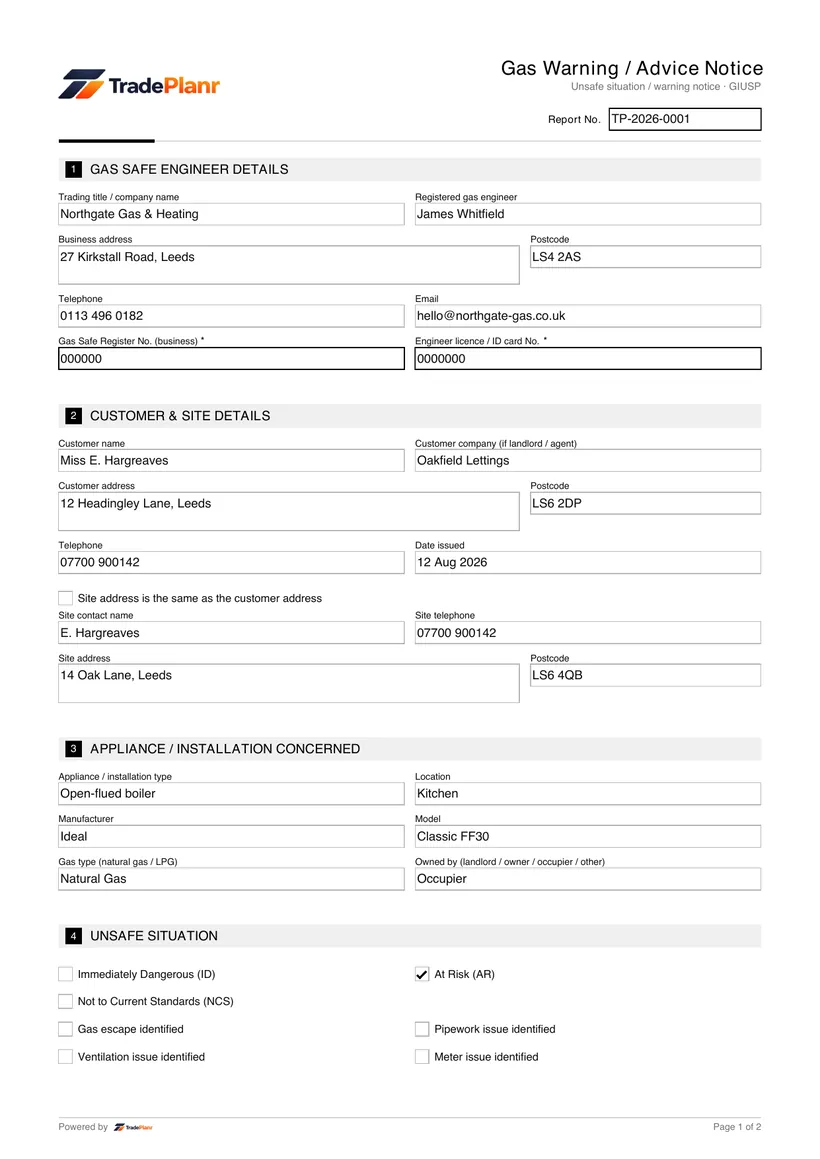
A gas warning or advice notice is issued when an engineer finds an appliance or installation that is unsafe. It records the situation as At Risk (AR) or Immediately Dangerous (ID) and the action taken.
The classification follows the Gas Industry Unsafe Situations Procedure (GIUSP), which sets out how registered engineers should handle and record unsafe gas situations.
TradePlanr lets you complete the warning notice on your phone, record the fault and action, capture the customer's signature, and issue a PDF as evidence.
A warning notice is issued whenever an engineer identifies an unsafe gas situation. Immediately Dangerous appliances should be made safe, and At Risk appliances handled according to the procedure, with the customer's permission recorded where needed.
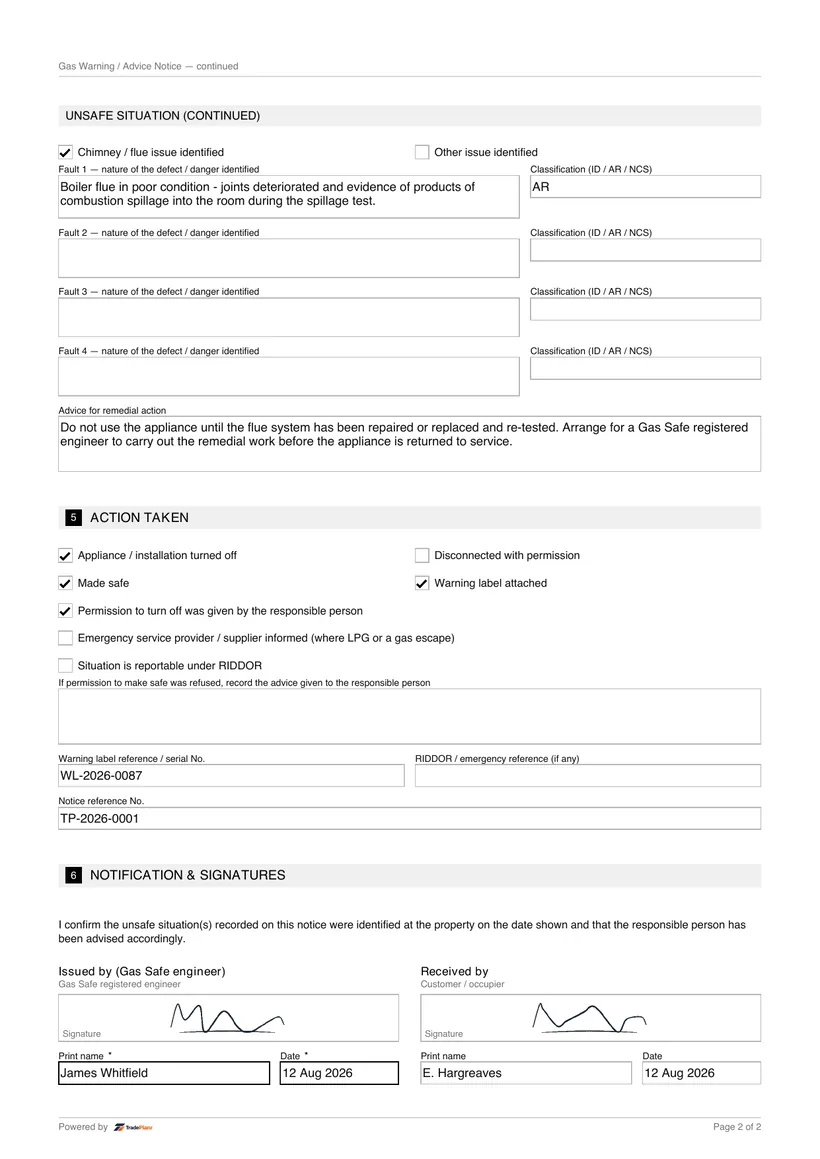
Where a situation is reportable, the engineer should report it under RIDDOR and, where relevant, to the gas emergency service or Gas Safe Register. The notice documents that the customer was warned.
Only a Gas Safe registered engineer should classify and act on unsafe gas situations. The customer signs to confirm they have been advised.
Open TradePlanr and start a job for the property, adding the customer and affected appliance details.
Select the gas warning or advice notice template so the classification and action fields are ready.
Classify the situation as At Risk or Immediately Dangerous, describe the fault and record the action taken.
Have the customer sign on screen to confirm they have been advised, then send or store the notice PDF.
TradePlanr generates this and 79 other gas, electrical, oil, plumbing and renewables certificates as proper PDFs — filled on site, signed on screen and stored against the job. Works even with no signal. Free to start.
Immediately Dangerous (ID) means the appliance poses a danger to life or property if used, while At Risk (AR) means a fault could become dangerous. Both are handled under GIUSP.
The Gas Industry Unsafe Situations Procedure is the recognised procedure for identifying, classifying and acting on unsafe gas situations.
Yes. An engineer should get the customer's permission to turn off or disconnect an appliance and record that permission on the notice.
Certain dangerous gas fittings and incidents are reportable under RIDDOR. The engineer should report where the criteria are met and record the details.
Yes. TradePlanr lets you complete the notice on site, capture the customer's signature and send the PDF straight away.
The record of a gas breakdown call — fault found, work done and appliance left safe.
The safety check record for domestic gas appliances, issued after an installation or check.
The annual landlord gas safety record (CP12) for rented properties — up to six appliances.
TradePlanr Agency builds custom-coded, SEO-optimised websites and runs Google Ads for UK trades — from £375, by the team behind TradePlanr.
Explore TradePlanr Agency