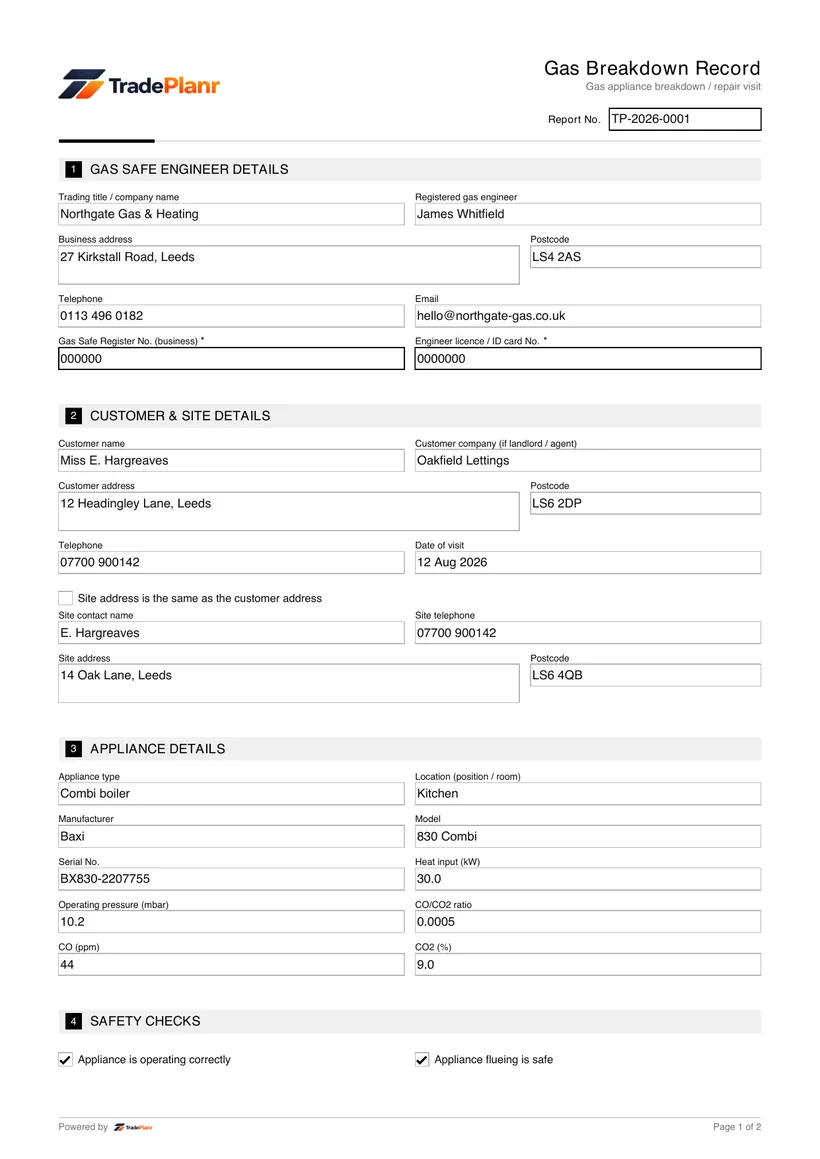


What is a gas breakdown record?
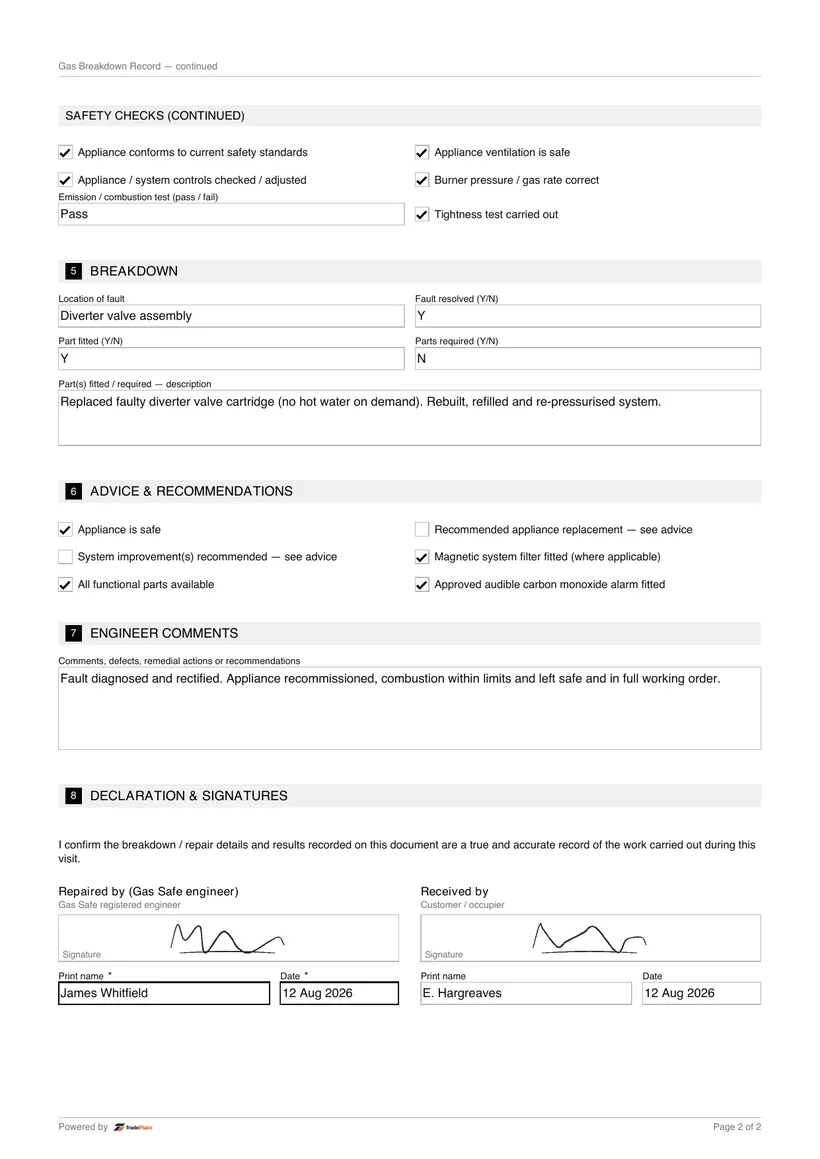
It is a record of a breakdown or repair visit, noting the fault found, the work done and confirmation the appliance is left safe.
Fill it in on site, sign on screen, and send a professional Breakdown PDF before you leave the job.
Free to build · Send it with a 7-day free trial
Need a Breakdown for your own property? It's issued by the tradesperson who does the work — TradePlanr is the app they use.
A gas breakdown record documents a breakdown or repair call on a gas appliance or boiler. It captures the fault reported, the work carried out and confirmation that the appliance has been left in a safe condition.
It gives the customer a clear account of the visit and the outcome, and forms part of the appliance's maintenance history.
TradePlanr lets you complete the breakdown record on your phone during the call, note the diagnosis and repair, and issue a PDF before you leave.
A breakdown record is issued whenever an engineer attends a repair or breakdown call. It provides the customer with evidence of the visit and the work carried out.
If the engineer finds the appliance is unsafe and cannot repair it on the visit, the situation should be handled under the unsafe situations procedure and a warning notice issued alongside the breakdown record.
Any gas repair work must be carried out by a Gas Safe registered engineer, whose details should appear on the record.
Open TradePlanr and start a job for the call-out, adding the customer and appliance details.
Select the gas breakdown record template so the fault, work done and outcome fields are ready.
Note the reported fault, your diagnosis, the work carried out and parts fitted, and confirm the appliance is left safe.
Sign on screen and send the customer their breakdown record PDF for their maintenance history.
TradePlanr generates this and 79 other gas, electrical, oil, plumbing and renewables certificates as proper PDFs — filled on site, signed on screen and stored against the job. Works even with no signal. Free to start.
It is a record of a breakdown or repair visit, noting the fault found, the work done and confirmation the appliance is left safe.
Recording the diagnosis and any parts fitted gives the customer a clear account of the visit and supports the appliance's maintenance history.
If the appliance is unsafe and cannot be repaired, it should be handled under the unsafe situations procedure and a gas warning notice issued alongside the breakdown record.
Yes. TradePlanr lets you record the repair on site, sign on screen and send the customer a PDF straight away.
The warning notice issued for an At Risk or Immediately Dangerous gas situation.
The service and maintenance record issued when a gas appliance is serviced.
The safety check record for domestic gas appliances, issued after an installation or check.
TradePlanr Agency builds custom-coded, SEO-optimised websites and runs Google Ads for UK trades — from £375, by the team behind TradePlanr.
Explore TradePlanr Agency